10 Best Apps for Law Enforcement by Use Case in 2026
Compare 10 law enforcement apps for report drafting, evidence, CAD/RMS, communications, scheduling, policy, wellness, and navigation, with platform and privacy notes.
C
CLIPr TeamAI-assisted police reports from bodycam audio
Every chief, patrol commander, and public-safety IT lead hits the same point: most patrol jobs now have a purpose-built app. The hard part is picking one that works on agency devices, spotty coverage, and a records policy.
This guide covers ten apps across eight use-case buckets: report drafting, evidence and records, CAD/RMS/reporting, communications, scheduling, policy, wellness, and navigation.
CLIPr Mobile is the report-drafting option in this directory: it produces an AI-assisted first draft the officer reviews, edits, and owns. Start with the job, not the app store, and compare each option inside its matching bucket. The ten apps are organized by use case, not ranked across unrelated jobs.
How These Apps Were Selected
Every app had to clear the same three evidence gates before being included:
A current first-party source and a purpose-built public-safety job, not a directory, forum, or consumer app repurposed for police work.
A statable access dependency and documentable evidence on availability, privacy, security, pricing, and connectivity, or a marked gap.
One use-case bucket, no consumer noise: no cross-category scoring, and scanners, radar apps, officer-tracking and encounter-recording tools, and dead products are excluded.
"Best" here means selected for current evidence and scenario fit, not exhaustive coverage or hands-on testing. Inside the two buckets that hold two apps, order is alphabetical. Platform, privacy, and pricing facts come from first-party pages and US store listings.
International availability requires a separate check. This guide uses U.S. first-party pages and app-store listings. Agencies elsewhere should confirm regional availability, data residency, local legal authority, telecom or emergency-network dependencies, and support coverage before shortlisting an app.
This guide covers officer- and staff-facing mobile apps only. For full platforms rather than their mobile companions, the guide to law enforcement software categories compares dispatch, records, evidence, and reporting systems directly.
The Ten Apps at a Glance
The table compares all ten apps on the fields that decide procurement, not on stars or scores. Acronyms are expanded in the Key Terms strip below it.
Agencies needing managed group PTT, location, messaging
PowerTime mobile app, listed as PlanIt ScheduleScheduling
iOS and Android
Employer PowerTime/PlanIt account
Offline behavior not established
Free app; annual parent subscription; custom
Current PowerTime agencies (shifts, time off, trades)
PowerDMS Policy ManagementPolicy/reference
iOS and Android
Licensed PowerDMS account
Android offline document viewing noted; validate by platform
Free app; paid parent subscription; custom
PowerDMS agencies needing mobile policy search
PowerLine by NEOGOVWellness
iOS and Android
Agency-enabled PowerLine program
Connectivity behavior not established
Free app; custom agency package
After privacy reconciliation, a peer wellness program
PatrolNav GPSNavigation
iOS and Android per vendor
Standalone subscription; squad option
Core map data offline; turn-by-turn and squad need service
Public iOS in-app prices, but volatile
Patrol teams needing intersection context, not a CAD
CLIPr Mobile leads because it is the one app that produces a first-draft report the officer reviews, edits, and owns; the other nine are grouped by use-case bucket, not ranked against each other.
Key Terms
CAD
computer-aided dispatch, manages calls and units
RMS
records management system, holds reports and case records
PTT
push-to-talk, radio-style group voice over a network
MDM
mobile device management, used to control and wipe approved devices
Privacy disclosure
a store listing's self-reported data-practices section, a developer's statement rather than an audit
SSO / MFA
single sign-on and multi-factor authentication
NCIC
National Crime Information Center
BYOD
bring-your-own-device
CJIS
Criminal Justice Information Services, whose Security Policy governs criminal-justice data handling
Report Drafting App
Every other app here helps an officer reach data, capture evidence, coordinate a shift, or find an address. Report writing, the task that carries the most hours of any documentation work on patrol, is the job this bucket covers.
01
CLIPr Mobile: Capture the Field Audio That Becomes the Report
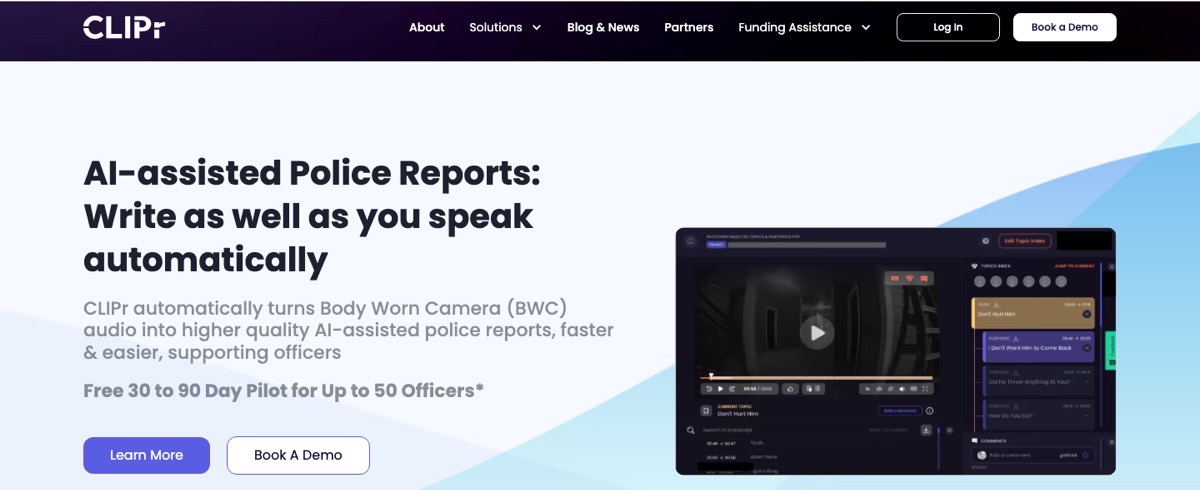
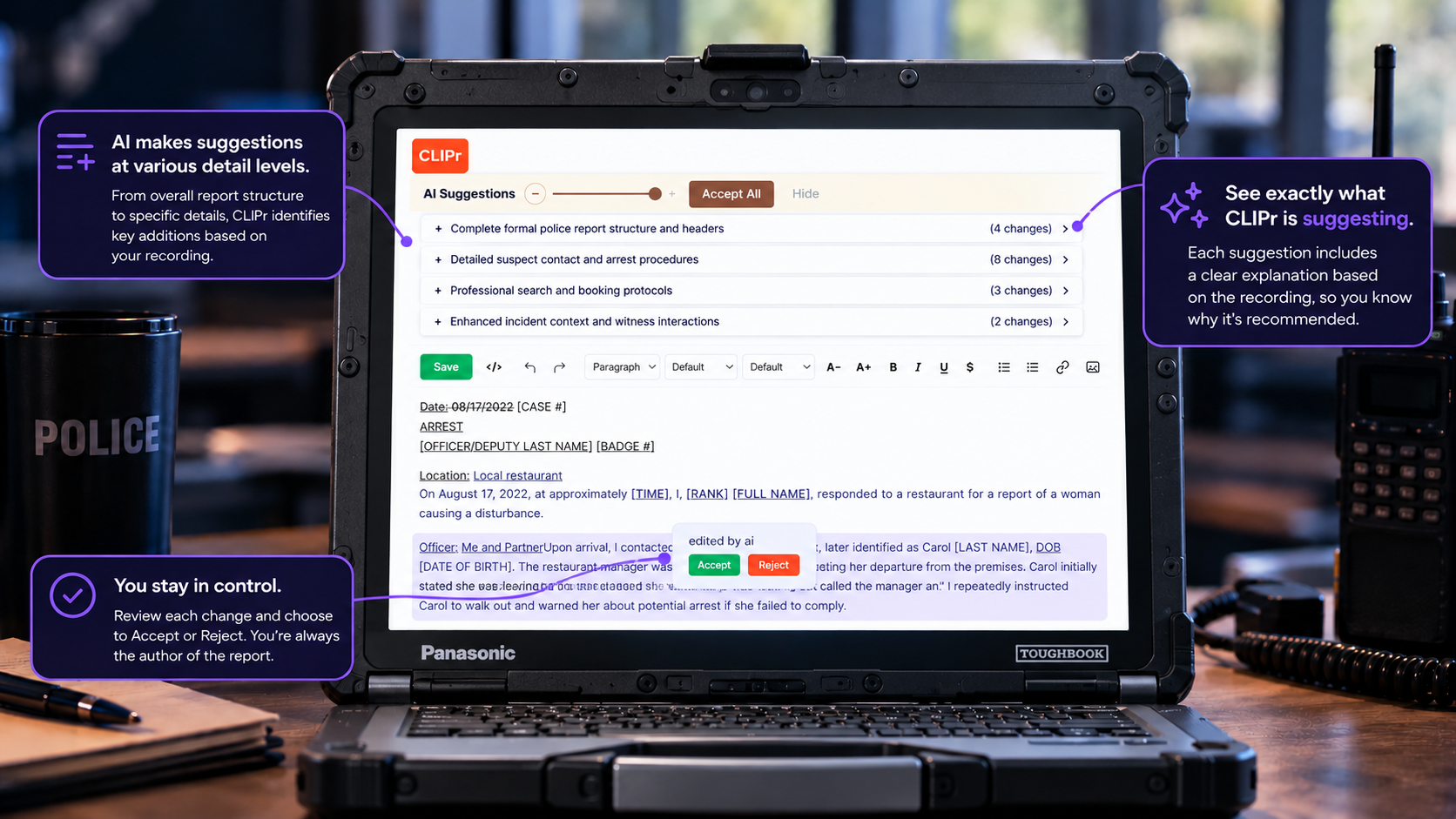
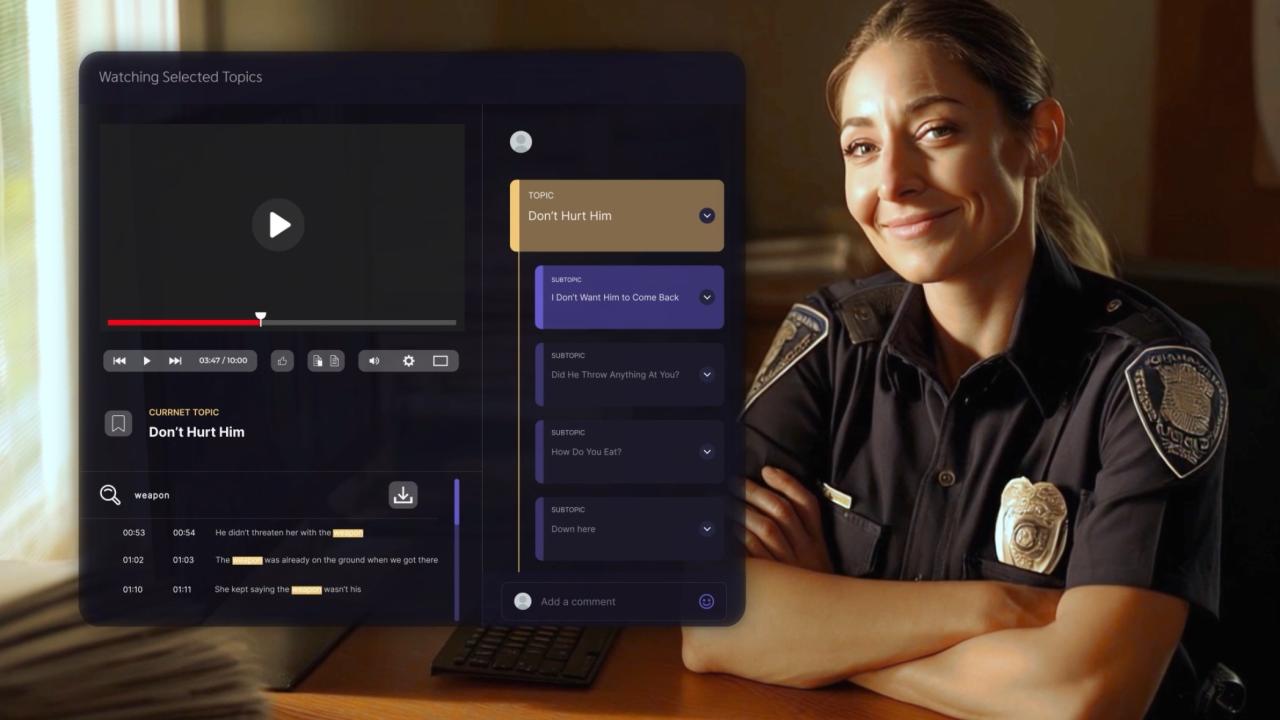
CLIPr Mobile and Tablet (iOS/Android) capture incident audio in the field, then CLIPr turns it into an AI-Assisted first-draft police report the officer reviews, edits, and owns.
CLIPr publishes this guide, and this card is held to the same evidence standard as every other app here.
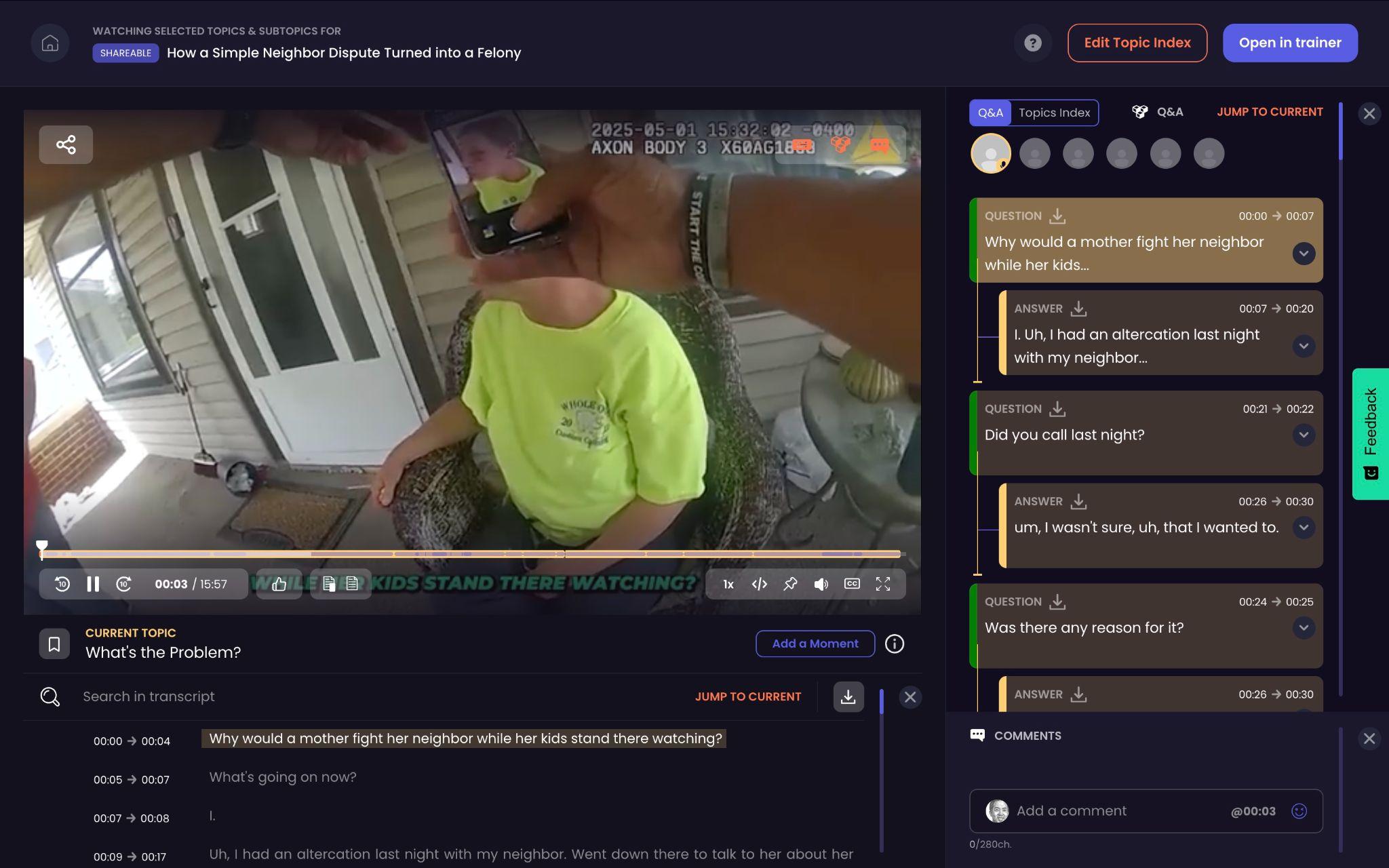
The CLIPr homepage: AI-assisted police reports drafted from body-worn camera audio.
Where it may fit
Agencies where the biggest time drain is writing reports after every shift, and that want field capture on iOS or Android without replacing their cameras, evidence system, or RMS.
What it is: CLIPr's field-capture front door. Officers record incident audio, it flows into the drafting pipeline, and the officer reviews, edits, and files. Nothing is auto-submitted; the officer remains author of record.
Platform and access:iOS and Android for field audio capture, with iPhone, Android, and BOBLOV body cameras as supported hardware. The app is provisioned by the agency during onboarding, not downloaded from a public app store.
The data path: CLIPr runs on a SOC 2 compliant architecture, is CJIS Security Policy-aligned, and is camera-agnostic. It enters the same deployment-wide data review this guide asks of every vendor, without forcing a change to your evidence or body-camera systems.
Pricing status: Usage-based public list pricing of $0.105 per audio minute and $0.21 per video minute; pricing adapts to actual utilization and unused capacity can carry forward. 30-day agency pilot for up to 50 officers, subject to approval.
Why agencies may evaluate it
This guide sorts apps by the operational job each one does. CLIPr is the report-drafting option, so evaluate it when written reports are the specific bottleneck:
It is designed to reduce report-writing time, with the agency measuring the actual change during its pilot.
It captures in the field on iOS or Android, so the report starts where the incident happens, not back at the terminal.
It is designed to run beside the existing stack, with supported camera inputs and RMS handoff verified for the agency's deployment.
A 30-day agency pilot lets an agency test the workflow on its own reports before making a broader commitment.
Considerations
Agency-provisioned during onboarding, so plan provisioning and MDM enrollment as with any agency-deployed app.
Draft quality tracks captured audio quality, so clear field capture helps.
The app captures; the officer reviews, edits, and files the report they own.
If report writing is the actual problem behind the app search, the police report writing software guide compares that category directly, CLIPr included.
Evidence and Records Apps
Mobile capture is the front door of a longer evidence lifecycle: storage, chain of custody, retention, and disclosure live in the parent platform. If that back end is the open question, the guide to choosing a digital evidence management system (DEMS) covers the category behind both apps.
Both apps are ecosystem companions, not neutral standalone evidence stores, listed alphabetically.
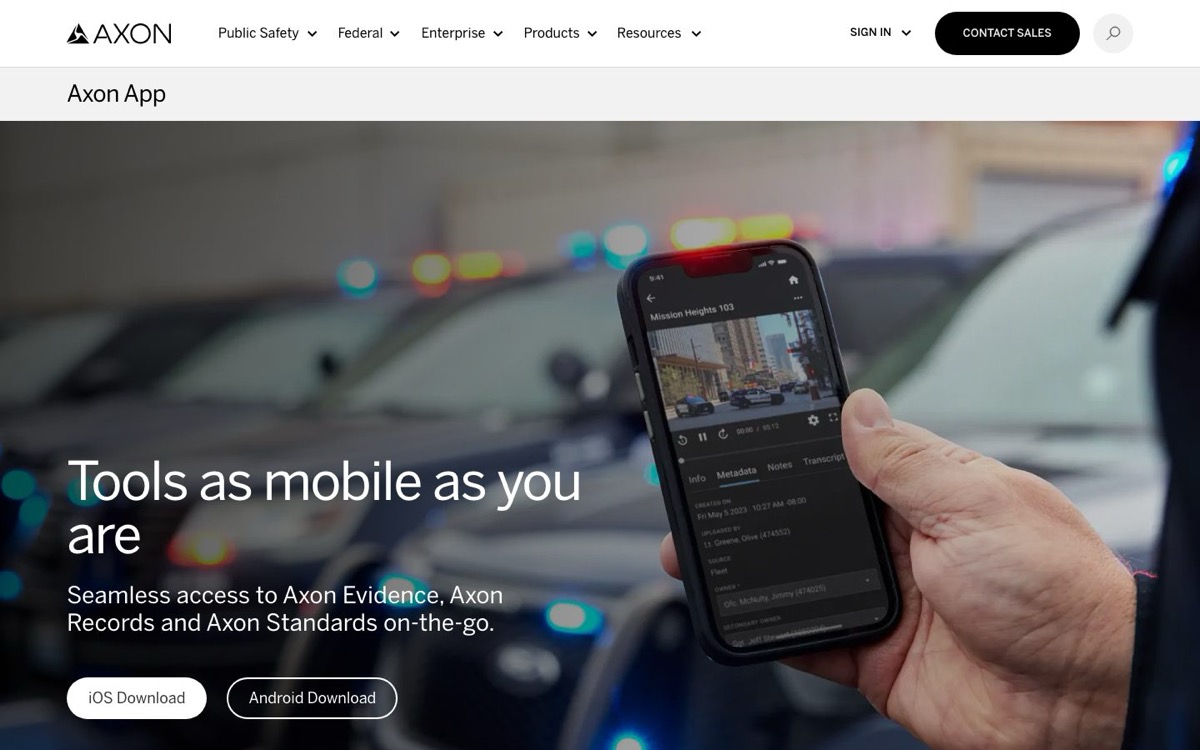
2) Axon App: Likely Fit for Agencies Already Using Axon Evidence or Records
Axon's mobile companion for its Evidence, Records, and Standards workflows on approved phones and tablets.
Vendor product image.
Where it may fit
Agencies already inside the Axon environment that want evidence and records access without a laptop between the officer and the platform.
Platform and access: iOS/iPadOS and Android per Axon's product page and US store listings, requiring an Axon Evidence or Records account; exact functions depend on your agency's subscriptions.
Connectivity: a dependable offline workflow was not established publicly, which is not the same as saying it is absent; ask Axon to demonstrate exact behavior on a dead-zone drive.
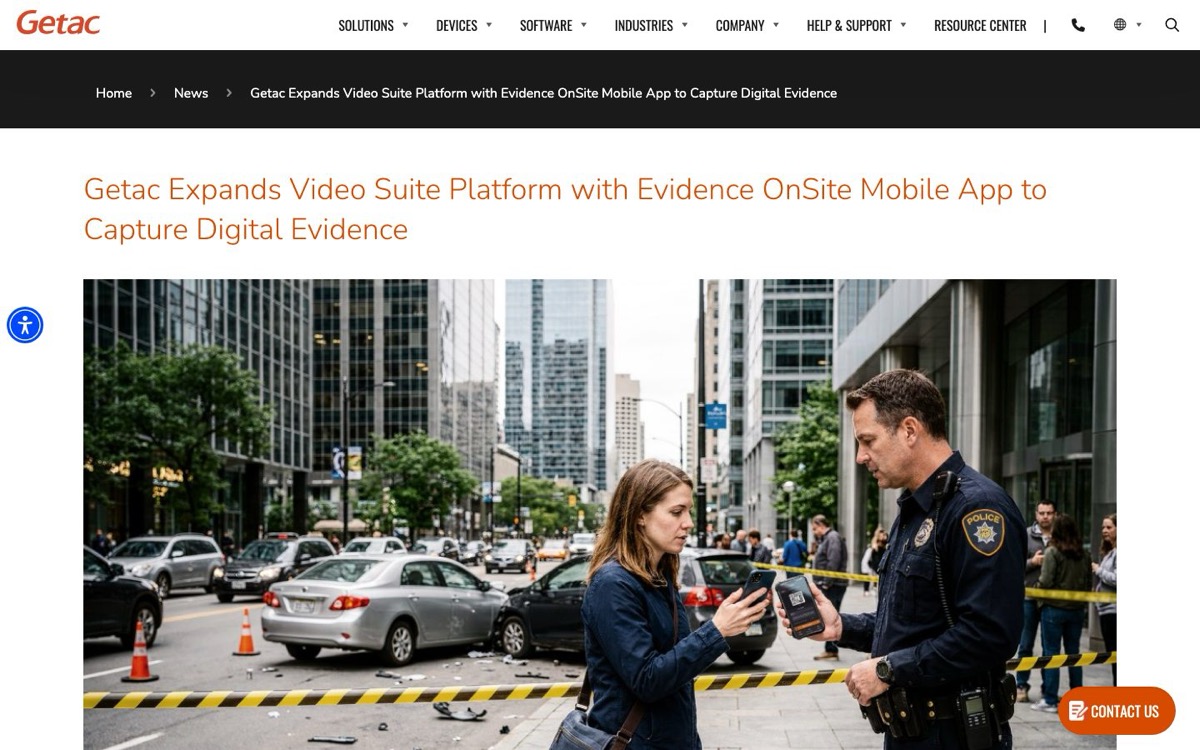
3) Getac Evidence OnSite: Likely Fit for Getac Video Suite Field-Evidence Workflows
A department-issued iOS and Android evidence-capture app that Getac launched April 15, 2026 for photo, video, audio, and text collection in the field.
Vendor product image.
Where it may fit
Getac Video Suite agencies that want field evidence capture on mobile devices, plus citizen-evidence intake through QR code or text-message links.
Platform and access: the April 2026 launch describes department-issued iOS and Android inside Getac Video Suite. No public US store listing was located, so confirm the current distribution channel with Getac directly.
Connectivity: Getac says background upload can resume after signal loss. Treat that as queued-and-resumed, not fully offline, and test a stalled upload mid-shift.
Privacy and security notes: Getac reports single sign-on (SSO), role-based access control (RBAC), and metadata capture. Validate the QR/SMS citizen-intake lifecycle, chain of custody, and encryption in procurement.
Pricing status: Custom pricing; available through Getac Video Suite; public store listing not located.
CAD, RMS, and Reporting Companion Apps
Both apps in this bucket are companions to a specific parent platform. If your agency runs a different CAD or RMS, the right move is usually evaluating that vendor's own mobile companion, not switching platforms to get an app. Order is alphabetical.
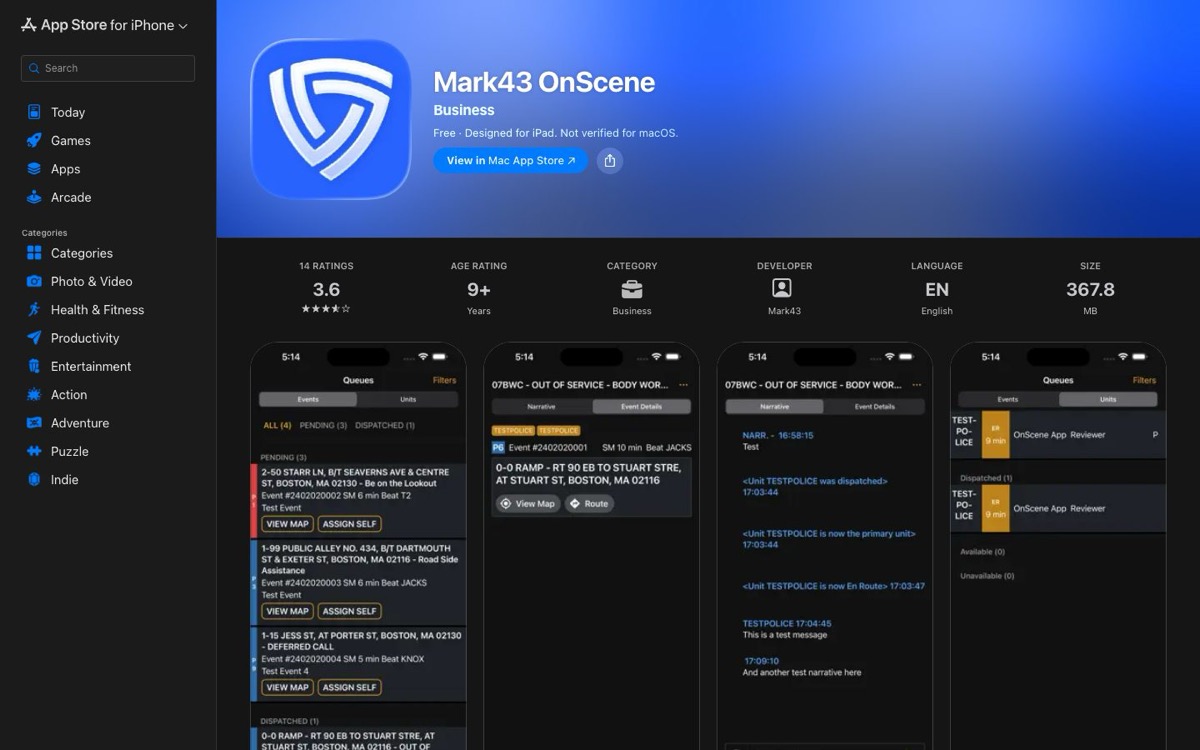
4) Mark43 OnScene: Likely Fit for Agencies on Mark43 CAD
Mark43's mobile responder companion, publishing event details, assignments, location, routing, and dispatch interaction to officers' devices.
Vendor product image.
Where it may fit
Mark43 CAD agencies that want approved dispatch access from a phone, tablet, or watch instead of only the in-car terminal.
Platform and access: Current US Apple and Google listings cover iPhone, iPad, Apple Watch, and Android. An active, paid Mark43 CAD deployment is required; the app does nothing useful without it.
Connectivity: A dependable offline workflow was not established in reviewed public sources. Test weak-signal and no-service conditions, and watch how the app recovers when coverage returns.
Privacy and security notes: the iOS listing declares possible collection of precise location, contacts, user content, identifiers, and usage data. Review role access, audit logging, MDM and remote wipe, and how long CAD data persists on the device.
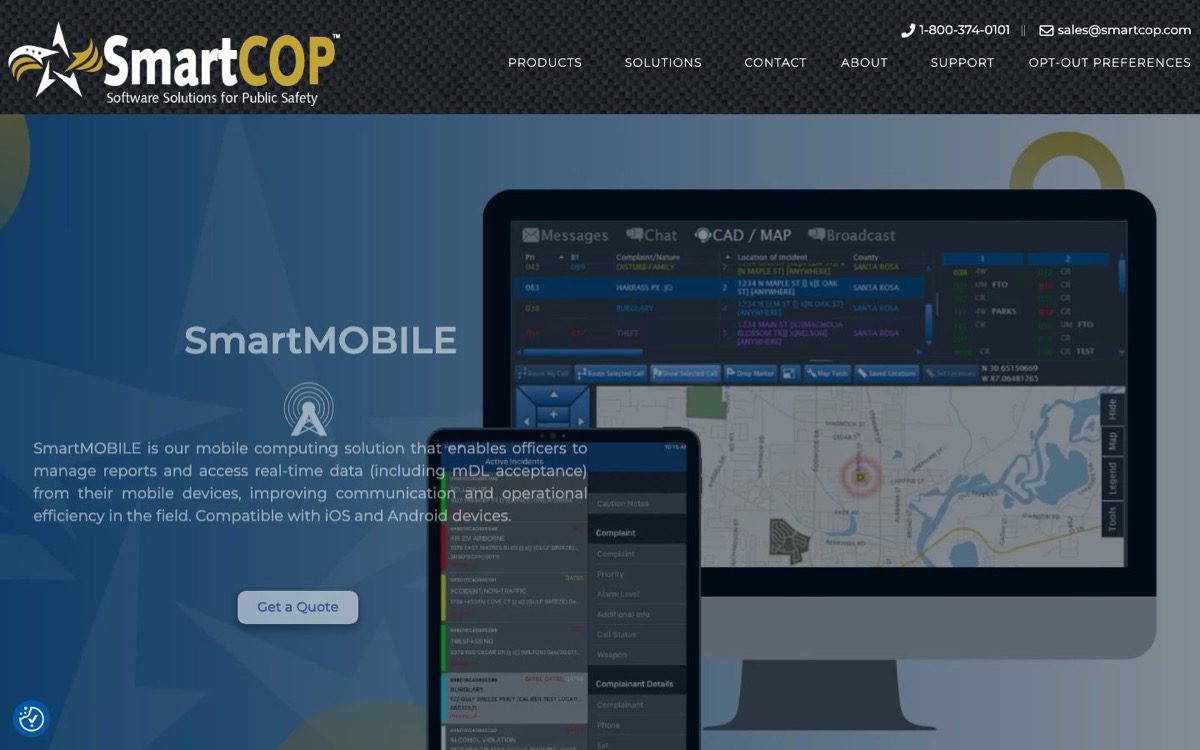
5) SmartCOP SmartMOBILE: Likely Fit for SmartCOP CAD/RMS Agencies
An agency-deployed iOS and Android companion for SmartCOP's CAD, records, state and National Crime Information Center (NCIC) queries, reports, mapping and automatic vehicle location (AVL), and selected mobile driver's license (mDL) workflows.
Vendor product image.
Where it may fit
Agencies already on SmartCOP that want one mobile app spanning several subscribed modules instead of separate tools per function.
Platform and access: the vendor positions SmartMOBILE for iOS and Android as an agency deployment. No public consumer store listing was located, and the March 2026 mDL brochure states requirements for that workflow only, so do not assume those OS versions apply to every module.
Connectivity: SmartCOP describes offline work that synchronizes when connectivity returns. Require a module-by-module demonstration, including sync conflicts and error handling.
Privacy and security notes: detailed public security documentation was not established, so ask about SSO and multi-factor authentication (MFA), encryption, and state and NCIC access controls in procurement.
Pricing status: Custom pricing; agency deployment; public store listing not located.
One boundary worth naming: mobile CAD access and report writing are different procurement problems. If the real time sink is drafting reports rather than reaching dispatch data, the police report writing software guide compares that category.
Communications App
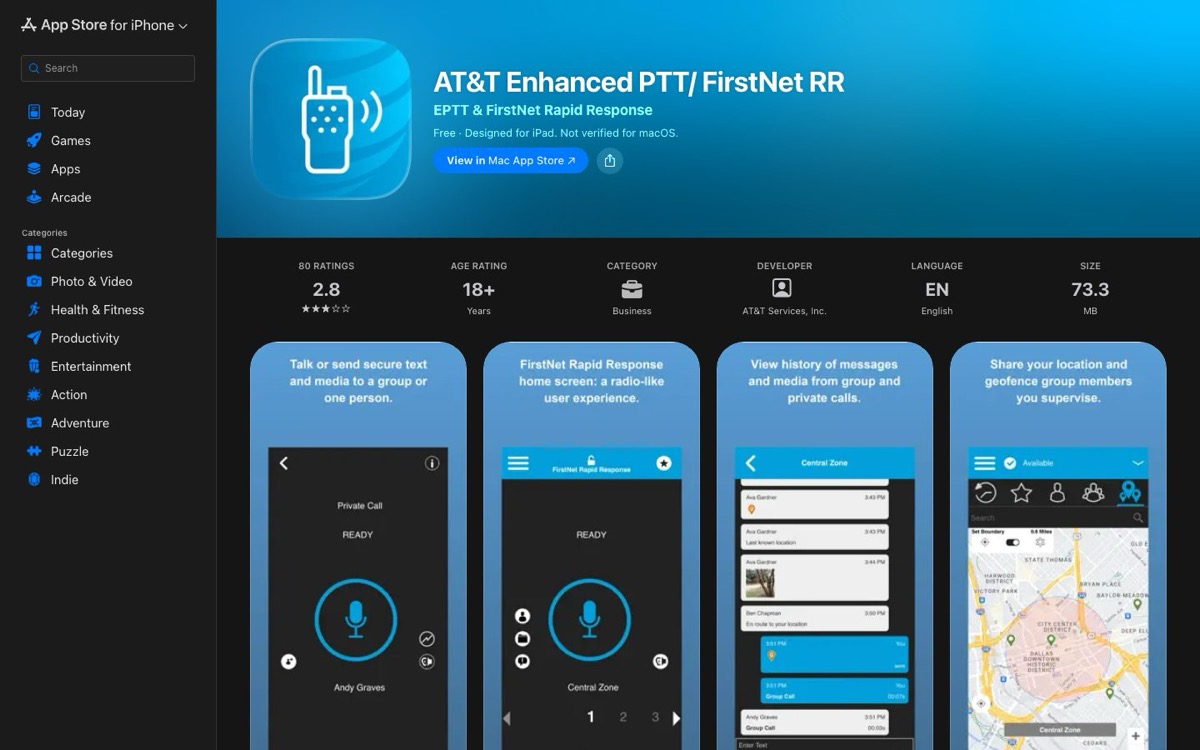
6) AT&T Enhanced PTT with FirstNet Rapid Response: Likely Fit for Managed Group Communications
AT&T's iOS and Android service for one-to-one and group push-to-talk, messaging and files, location and geofence functions, and land mobile radio (LMR) interoperability, as described by AT&T.
Vendor product image.
Where it may fit
Agencies with compatible FirstNet or AT&T devices and a defined requirement for managed group communication alongside, not instead of, their radio system. It is the most dependency-heavy option among communication apps for police.
Boundary
Being in an app store does not make it a CAD, an RMS, or a primary emergency-radio replacement. The agency defines its operational role, coverage expectations, priority and preemption, recording, dispatch integration, and failover.
Platform and access: iOS and Android, with service dependent on an AT&T/FirstNet plan, admin setup, a compatible device, and any LMR gateway integrations. AT&T references 3GPP mission-critical PTT standards; treat that as a vendor statement to validate against your exact service profile.
Connectivity: core live communication requires network service. Test coverage, congestion behavior, and audio accessories before anyone treats it as a lifeline.
Privacy and security notes: store disclosures identify location, contacts, content, and identifier data. Validate location retention, message and file recording, encryption evidence, and gateway scope.
Pricing status: Monthly subscription; current public amount not located.
Scheduling App
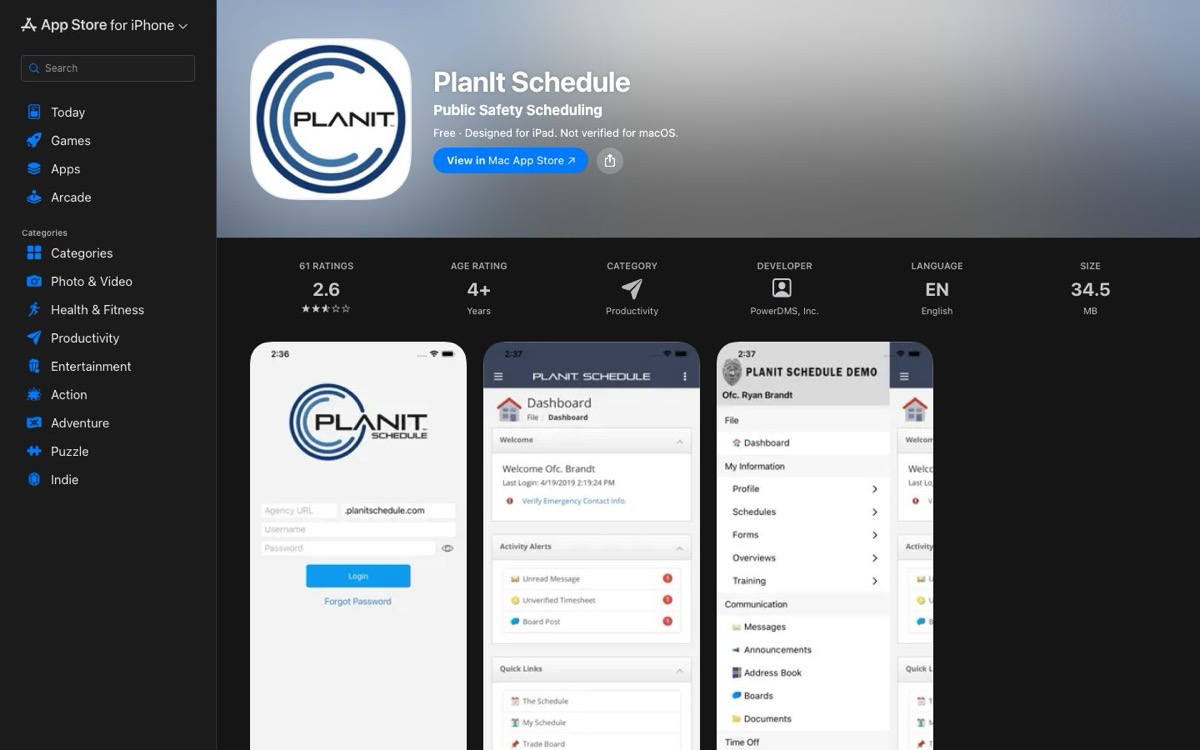
7) PowerTime Mobile App, Listed as PlanIt Schedule: Likely Fit for Current PowerTime Agencies
The mobile scheduling companion to PowerTime, for viewing schedules and requesting time off, overtime and open shifts, and shift trades.
One Naming Note Up Front
The platform is now PowerTime, formerly PlanIt Schedule, but the store app still carries the PlanIt Schedule name on both platforms. Tell officers to search the store for "PlanIt Schedule," not "PowerTime."
Vendor product image.
Where it may fit
Agencies already running PowerTime that want employee self-service inside the approval rules supervisors have configured. If you are comparing schedulers as a category rather than adopting the companion app for one you own, the police scheduling software guide covers that decision.
Platform and access: Current iOS and Android listings exist under the PlanIt Schedule name and require an employer account.
Connectivity: Exact offline behavior was not established in reviewed sources. Do not assume the schedule you see in a coverage gap is current.
Privacy and security notes: the Android data-safety section declares possible personal-information and device-ID collection with encryption in transit. Review supervisor visibility, notification privacy, and your bring-your-own-device (BYOD) and MDM policy.
Pricing status: Free download; annual PowerTime subscription required; parent-platform pricing is custom. The vendor page reviewed said there is no separate mobile add-on fee; reverify at purchase time.
Policy and Reference App
8) PowerDMS Policy Management: Likely Fit for Licensed PowerDMS Agencies
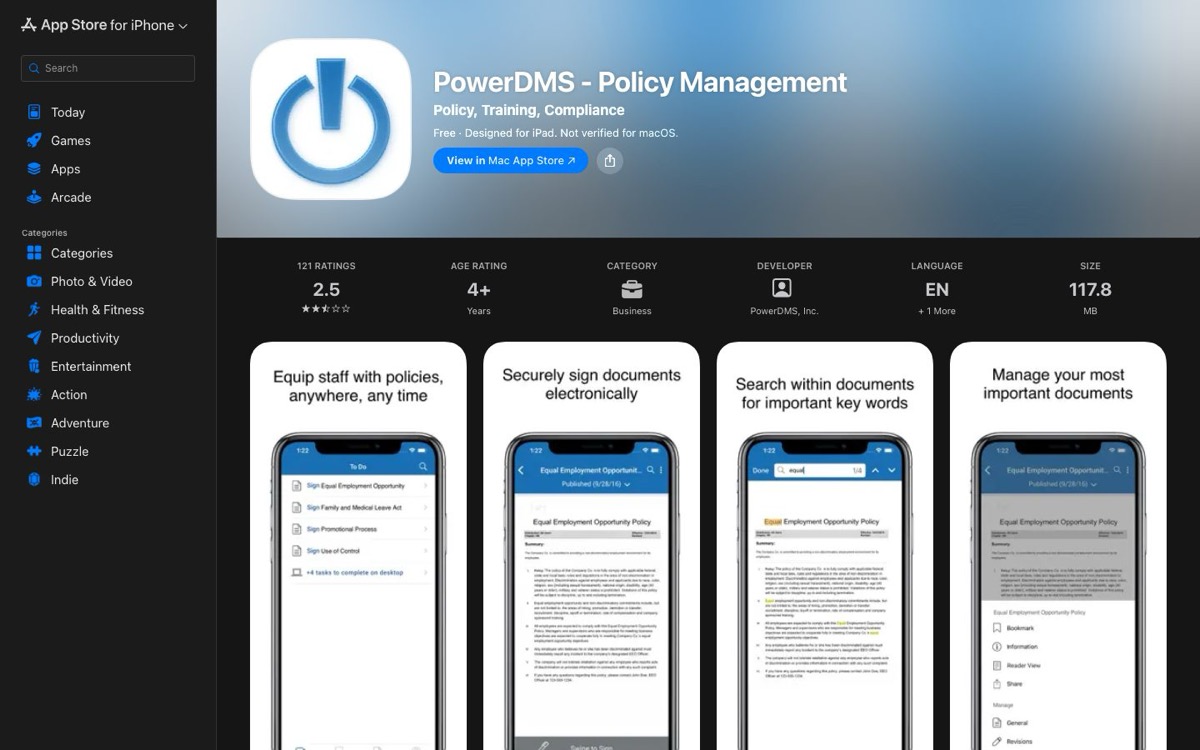
Mobile access to PowerDMS for licensed users: policy and document search plus acknowledgement and signature workflows.
Vendor product image.
Where it may fit
Agencies already on PowerDMS whose officers need the current pursuit policy at 0300 on a traffic stop, not back at the station. Field access also moves policy acknowledgements to where officers actually are.
Platform and access: Current iOS and Android listings exist for licensed PowerDMS accounts.
Connectivity: a May 2026 Android release note references an offline-document-viewing fix. That confirms offline viewing in that Android context only; do not stretch it to iOS, every document type, or every permission level, and ask for a platform-specific demonstration.
Privacy and security notes: validate cached-document encryption, what happens to expired or revoked policies on the device, acknowledgement audit trails, and screenshot and sharing controls.
9) PowerLine by NEOGOV: Consider Only After Privacy and Escalation Review
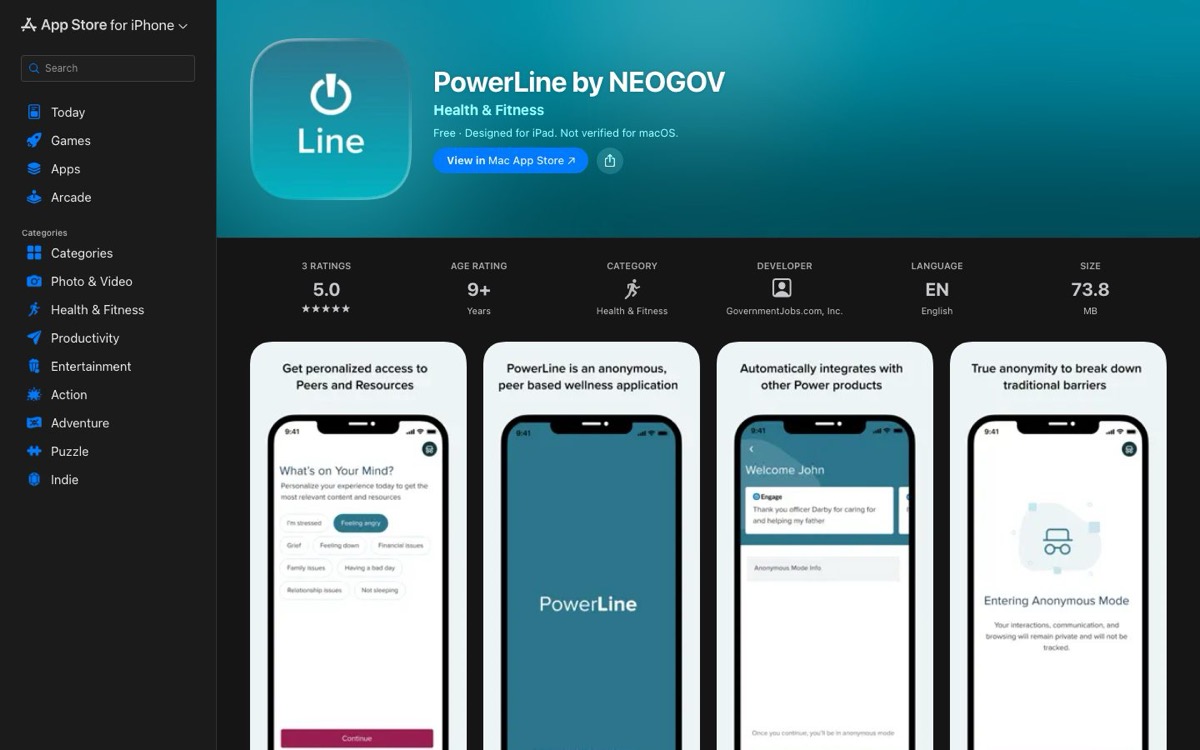
An agency-enabled first-responder wellness app with peer connections, resources, self-assessments, and an agency dashboard, as described by the vendor.
Vendor product image.
Where it may fit
Agencies that treat stress, documentation burden, and morale as operational issues, and will complete a distinct confidentiality, clinical-boundary, labor, and crisis-escalation review before rollout. A wellness app touches the most sensitive data an agency holds about its own people.
The Privacy Conflict to Reconcile First
Three current statements do not line up. The vendor's product page describes the participant experience as anonymous, and the iOS listing (May 2026) declares that no data is collected.
The Android listing (May 21, 2026) says the app may collect personal information and device IDs, encrypts data in transit, and does not offer data deletion through the listed mechanism. All three are vendor or developer statements, not audited facts.
Get written reconciliation covering identity mapping, dashboard fields, peer visibility, telemetry, deletion, and export before any officer is asked to trust the app.
Clinical Boundary
Do not describe or deploy this as emergency, clinical, diagnostic, treatment, or crisis care unless exact contracted services say so. Before launch, define escalation paths, mandated-reporting rules, emergency resources, peer access and training, and professional oversight.
Platform and access: Current iOS and Android listings exist; the program is agency-enabled rather than individually purchased.
Identity mapping, dashboard fields, and peer visibility.
Telemetry, retention, deletion, export, and consent.
Vendor and support access.
Crisis workflow and labor/employee-assistance-program interaction.
Separate iOS versus Android behavior.
Navigation App
10) PatrolNav GPS: Likely Fit for Patrol-Oriented Navigation Context
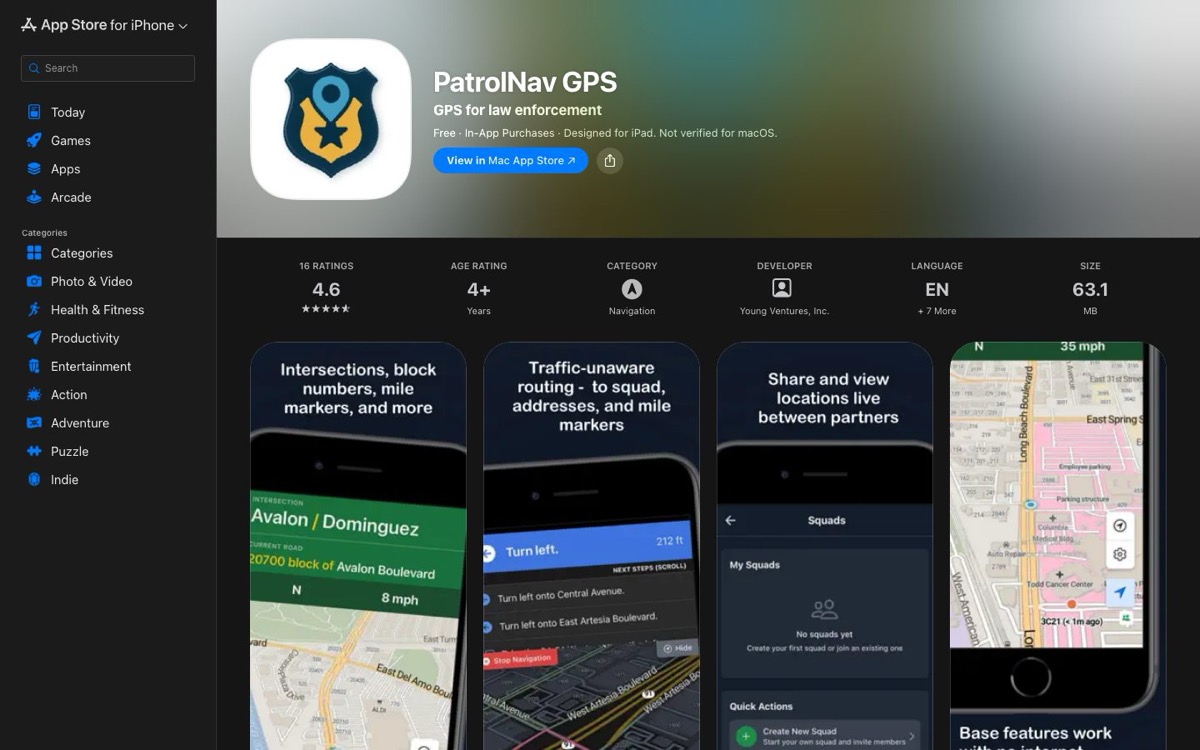
An iOS and Android patrol-navigation utility built around intersections, block numbers, and mile markers, with optional squad functions.
Vendor product image.
Where it may fit
Patrol teams that want the block-and-intersection context a consumer map app does not give, as a supplement to approved CAD and dispatch navigation.
Boundary
It is not a CAD, a dispatch system, an emergency-response tool, or an authoritative address source. Test local map accuracy against your jurisdiction and set policy before anyone relies on it.
Platform and access: the vendor markets iOS and Android for the US, Canada, Australia, and New Zealand. The iOS listing required iOS 16 or later; the current Android OS minimum was not established publicly.
Connectivity: the vendor says core intersection, block-number, and mile-marker data can work offline, while turn-by-turn navigation and live squad functions require service. Hold the app to exactly that split in testing.
Privacy and security notes: the vendor says location stays on the device unless squad features are used, when it is temporarily held in memory, while the iOS listing discloses location, contact, identifier, usage, and diagnostics categories. Validate the current policy, squad visibility, and MDM behavior.
Pricing status: The US iOS listing showed in-app purchase references of $14.49 monthly, $129 yearly, and $8.95 monthly for a squad option. Store prices are volatile; confirm current amounts before budgeting, and do not infer Android or agency pricing from them.
Avoid Software Fatigue: Build the Smallest Working Stack
Small agencies rarely need all ten apps. A useful app can still create tool sprawl when it duplicates a parent platform, adds another subscription and login, or introduces a data handoff that no one owns.
Use this four-step stack-selection method:
Name the two highest-cost jobs. Start with the workflows consuming the most time, creating the most risk, or causing the most rework.
Inventory what you already pay for. Check the mobile companions, modules, and integrations included in current CAD, RMS, evidence, scheduling, and policy contracts.
Shortlist one app per unresolved job. Reject overlap unless the new app will replace an existing tool or produces a measurable improvement the current stack cannot.
Price the whole workflow. Add the parent subscription, app license, integration, device and mobile-device-management costs, implementation, training, support, data export, and staff time required to operate it.
The goal is not the largest stack. It is the smallest combination that closes the agency's priority gaps, has a clear system of record, and stays within the total software budget.
Choose an App by Operational Scenario
These ten apps do different jobs, so match the scenario first, then compare inside it:
Report drafting: evaluate CLIPr Mobile when writing reports is the biggest time drain, then verify supported camera inputs and the RMS handoff during the pilot.
Field evidence inside an ecosystem: Axon App for Axon, Getac Evidence OnSite for Getac Video Suite; the parent platform decides.
CAD/RMS access: Mark43 OnScene or SmartCOP SmartMOBILE only if you run the matching parent platform; otherwise evaluate the companion of the CAD or RMS you own.
Managed PTT: AT&T Enhanced PTT / FirstNet Rapid Response, judged against your radio system, coverage, and failover, not its store description.
Scheduling self-service: the PowerTime/PlanIt app for current PowerTime deployments; for a full category comparison, use the police scheduling software guide.
Field policy access: PowerDMS Policy Management, once cache, version, and acknowledgement behavior are validated.
Wellness: do not pilot PowerLine until the privacy conflict is reconciled in writing and clinical boundaries are documented.
Patrol navigation: PatrolNav GPS as a CAD supplement, after local accuracy and privacy tests.
Use the Mobile App Procurement Card Before a Pilot
App stores make downloading easy; they rarely show the agency account, data path, or lifecycle behind the download. The Mobile App Procurement Card makes those visible before a pilot, applying the same nine fields to every vendor; the governance questions behind it are covered in the technology and policing guide.
Copy this blank card into your request for proposal (RFP) or pilot plan, one card per app. It prints on one 8.5 x 11 sheet.
One card per app, nine fields, applied evenly to every vendor:
Field
What to record
1. Job
The one operational task this app is being considered for
2. Audience/device
Sworn or civilian role; iOS/Android/device types; minimum OS; agency-owned or BYOD policy
3. Access dependency
Required agency platform, carrier plan, subscription, admin provisioning, SSO/MFA, or store account
4. Connectivity
What is fully offline, cached, queued, resumed, or unavailable without service
5. Data path
Data types; device storage; encryption evidence; admin and vendor access; location use; how data is stored, retained, deleted, exported, and handled; subprocessors; legal process
6. Workflow handoff
CAD/RMS/DEMS/policy/schedule destination and failure/retry behavior
Unweighted by design: security and data-handling fields are pass-or-fail gates, not points in a convenience score.
For the data-path field, one anchor is worth naming: the FBI's Criminal Justice Information Services (CJIS) Security Policy applies to the whole deployment, agency included, not to a vendor badge. Evaluate it evenly across every vendor as part of the deployment review.
Then run the pilot in five steps:
Define one job and its pass/fail outcome. One card, one job, one threshold.
Confirm the foundations. Parent platform, device and OS baseline, MDM, identity, and the account path.
Diagram the data. From capture through storage, access, export, retention, and deletion.
Test the failure modes. Connected, weak-signal, no-signal, lost-device, revoked-user, and failed-sync scenarios.
Capture the evidence. Record results and written vendor commitments before rollout. A mobile-friendly questionnaire officers fill out while the shift is fresh gives decision-makers field evidence, not two-week-old memory.
Frequently Asked Questions
There is no single best app across unrelated police workflows.CLIPr Mobile covers report drafting. Axon App and Getac Evidence OnSite cover evidence and records; Mark43 OnScene and SmartCOP SmartMOBILE cover CAD/RMS access; AT&T Enhanced PTT with FirstNet Rapid Response covers communications; PowerTime covers scheduling; PowerDMS Policy Management covers policy; PowerLine by NEOGOV covers wellness; and PatrolNav GPS covers navigation. Choose within the bucket that matches the agency's job.
Often the download is free while the service is not. Axon App, Mark43 OnScene, PowerDMS, PowerTime/PlanIt, and PowerLine are free downloads tied to paid or agency-enabled parent platforms with custom pricing.
Getac Evidence OnSite and SmartCOP SmartMOBILE are custom-priced agency deployments. AT&T Enhanced PTT requires a monthly subscription with no public amount located, and PatrolNav showed public iOS in-app prices during research.
Budget for the platform, not the download.
All ten list iOS and Android support per current vendor pages or US store listings, and Mark43 OnScene adds iPad and Apple Watch.
Distribution differs: CLIPr Mobile is agency-provisioned rather than an app-store download, and public store listings were not located for Getac Evidence OnSite or SmartCOP SmartMOBILE, which reach devices through agency deployment. Reconfirm the current listing, minimum OS, and MDM compatibility before committing.
Mostly no, and the word "offline" hides four behaviors: fully offline function, cached content, queued uploads that resume, and features that simply stop without service.
PatrolNav says its core map data works offline; Getac describes resumed uploads; PowerDMS has an Android offline-viewing reference; SmartCOP describes offline work with later sync. Axon App, Mark43 OnScene, and PowerTime had no established offline evidence, and AT&T PTT requires live service.
Treat it as procurement evidence-gathering, applied evenly to every vendor. Read the store privacy disclosure as a developer statement, not an audit, and review how data is stored, retained, deleted, exported, and handled, including admin and vendor access.
Check SSO/MFA, MDM and remote-wipe fit, and audit logging, evaluate CJIS Security Policy obligations across the whole deployment, and test lost-device and revoked-user scenarios in the pilot.
Because this is an agency procurement guide, not a consumer download list. Scanner, radar and speed-trap, encounter-recording, and crowdsourced officer- or ICE-tracking apps serve public or consumer intent, raise legal and policy questions agencies do not control, and do not run an agency workflow.
Excluding them is a scope decision, not a claim that every such product is unlawful; they simply do not belong in a shortlist an agency would pilot.
CT
CLIPr Team
AI-assisted public safety documentation
The CLIPr Team writes about AI-assisted documentation for law enforcement.
CLIPr turns BodyCam and DashCam audio into AI-assisted first drafts of police reports that officers review, edit, and approve into their existing RMS, backed by a SOC 2 compliant architecture and a design that is CJIS Security Policy-aligned.
Pick the Bucket First, Then the App
The fastest way to waste a pilot is comparing ten apps at once. Pick the use-case bucket that matches your actual problem, complete one Mobile App Procurement Card for each relevant app, and run the same failure-mode pilot on every candidate: weak signal, no signal, lost device, revoked user, failed sync.
If the real time sink is the hours officers lose writing reports, that is the job CLIPr Mobile does: it captures field audio and drafts the report the officer owns.
CLIPr currently advertises a 30-day agency pilot for up to 50 officers, subject to approval, so you can validate the time saved on your own reports before committing.