10 Police Report Writing Software Options to Evaluate in 2026
Ten report writing tools compared against six criteria built for agencies under budget and policy constraints, from RMS-native suites to AI drafts from bodycam audio.
C
CLIPr TeamAI-assisted police reports from bodycam audio
Command staff and records leaders keep running into the same math: every hour an officer spends typing a narrative is an hour off the street. That drag grows as call volume rises and staffing stays flat, and it can wear down morale.
The market now has three flavors: RMS-native report writers, dictation layers, and AI tools that draft from BWC audio.Vendors in all three camps make time-savings claims, so agencies still need to test workflow, policy, and budget fit.
This guide compares 10 options against six agency-focused criteria.It sits alongside the broader law enforcement software landscape, but stays focused on accurate, reviewable reports.By the end, you should have a practical pilot shortlist.
How these tools differ: RMS-native, dictation, and AI-from-bodycam
"Police report writing software" covers three genuinely different product types. Knowing which one you are evaluating prevents most bad purchases.
RMS-native report writers
Mark43, Tyler, CentralSquare, Versaterm, eFORCE
Build smarter forms, validation, and mobile entry into the records system itself.
Pros
One system of record
NIBRS/IBR validation at entry
No copy/paste step
Cons
Agencies usually need to buy or already own that RMS
Replacing an RMS is a multi-year project, not a report-writing-only fix
Dictation layers
Nuance Dragon Law Enforcement
Let officers speak the narrative instead of typing it, inside whatever RMS they already use.
Pros
RMS-agnostic, mature technology
Low policy friction since the officer authors every word
Cons
The officer still composes the report from memory
Accuracy depends on the environment and voice-profile training
AI-from-bodycam tools
CLIPr, Axon Draft One, PoliceReports.ai
Generate a first-draft narrative from BWC or dashcam audio, which the officer then reviews, edits, and submits.
Pros
The largest vendor-stated time-savings claims, because the draft starts from captured audio rather than a blank page
Cons
These tools demand the clearest policy guardrails: officer review, disclosure, and audit trails
Ecosystem lock-in varies widely by vendor
For a deeper breakdown of how the third category actually produces a narrative from audio, the AI police report generator explainer walks through the pipeline step by step.
The evaluation criteria
Every tool below was assessed against the same six dimensions. They map directly to the PATROL rubric in the next section.
Pilot readiness. Good looks like a structured pilot with a defined duration, a realistic officer cohort, and onboarding support. Bad looks like "schedule a sales call" with no try-before-you-buy path.
Auditability. Strong fit means version history on drafts, a clear record of what the AI produced versus what the officer changed, and exportable trails for discovery and FOIA. A likely evaluation question is whether prosecutors and city attorneys can review the workflow without relying on a black box.
Time savings you can measure. Good is a vendor claim you can test against your own baseline minutes-per-report. Every percentage in this article is a vendor-stated claim unless noted otherwise, and should be validated in your pilot.
RMS and camera stack fit. Strong fit works with the cameras, CAD, and RMS you already run. A likely evaluation question is whether the product requires a rip-and-replace or delivers most of its value inside one vendor's ecosystem. Transcription quality matters here too, since AI drafts depend on the audio they start from; the bodycam transcription software guide covers what accuracy to expect from BWC audio.
Officer UX. Good means a usable first draft, fast corrections, mobile or in-car access, and a learning curve measured in a shift, not a semester. Bad means a tool officers route around by week three.
Licensing and total cost. Good is transparent pricing or at least transparent pricing structure. Bad is opaque enterprise quoting with surprise implementation fees. Where a vendor does not publish pricing, this article says "custom pricing" rather than guessing.
The PATROL scoring rubric
Most buying guides list features. Agencies need a way to score fit. PATROL is a six-dimension rubric: score each shortlisted tool 1 to 5 on every dimension during demos and pilots, then compare totals.
PATROL scorecardScore each tool 1 to 5
P
Pilot readinessPilot length, cohort size, support during the pilot, exit terms
12345
A
AuditabilityDraft version history, AI-use disclosure options, export trail
12345
T
Time savingsMeasurable against your baseline, for both field and desk reports
12345
R
RMS/Roadmap fitWorks with current RMS, CAD, and cameras; integration roadmap
12345
O
Officer UXLearning curve, mobile access, dictation/correction tools
12345
L
Licensing/total costPricing transparency, contract terms, carry-forward or true-up terms
12345
Score each shortlisted tool during demos and pilots, then compare totals out of 30.
A worked example. Take a 25-officer department running body cameras with a legacy RMS it has no budget to replace. Illustrative scoring of two candidate approaches might look like this:
Dimension
AI-from-BWC overlay
Full RMS replacement
Pilot readiness
5Free structured pilot
2Procurement-led evaluation
Auditability
4Verify draft history in pilot
4Native record trail
Time savings
4Test against baseline
3Gains arrive after migration
RMS/Roadmap fit
5Keeps current RMS
2Replaces it entirely
Officer UX
4Review-and-edit drafts
3New system to learn
Licensing/total cost
4Pilot first, scale later
2Capital project budget
Total
26 / 30
16 / 30
The scores can flip for a 150-officer agency already funded for an RMS replacement: R and L may favor the integrated suite. That is the point. PATROL keeps the decision tied to agency constraints, not the highest vendor claim.
TL;DR comparison table
All time-savings figures are vendor-stated claims. Sources are linked in each product section below; verify them in your own pilot.
#
Tool
Time-savings claim (vendor-stated)
Pricing signal
Best for
01
CLIPrAI-from-BWC/dashcam
Up to 50% less report-writing time
Searchable Audio $0.105/min; Searchable Video $0.21/min; pilot available
BWC-to-draft without RMS replacement
02
Mark43 RMSRMS-native
50-80% less report-writing time
Custom pricing
Agencies replacing their RMS
03
Axon Draft OneAI-from-BWC
Reduce report writing by 50%
Custom pricing
All-in Axon agencies
04
Tyler Enterprise LERRMS-native
"From 30 to 7 minutes" (webinar; as published by the vendor, last checked July 2, 2026)
Custom pricing
Deep IBR/NIBRS + Tyler shops
05
CentralSquare RecordsRMS-native
Reduced manual entry (no % published)
Custom pricing
Multi-agency data sharing
06
Versaterm RMS + MRERMS-native
Enter-once data flow (no % published)
Custom pricing
Mobile-first report entry
07
Nuance Dragon LEDictation
Faster dictated reports (no % published)
Enterprise licensing
Dictation across any stack
08
OmnigoIncident-first
Streamlined mobile reporting (no % published)
Custom pricing
Campus and incident-first teams
09
eFORCE RMSRMS-native
Streamlined incident reports (no % published)
Custom pricing
Budget-conscious RMS buyers
10
PoliceReports.aiAI overlay
Vendor case studies report large savings
Contact sales
AI drafting + investigative analysis
Pricing and pilot terms verified June 2026.
Police report writing software options, compared
The order below weighs the PATROL dimensions for agencies that need faster reports without betting the budget on a platform migration: small departments running a low-friction pilot.
It also covers larger county, state, metropolitan, and sovereign buyers that want "AI your way" across modern cloud, private, or hybrid architectures.
A lower placement does not mean weaker software overall; it means the fit may be less direct for this specific report-automation job.
01
CLIPr
Best for BWC-to-report
Best for: turning BWC and dashcam audio into draft reports without replacing your RMS.
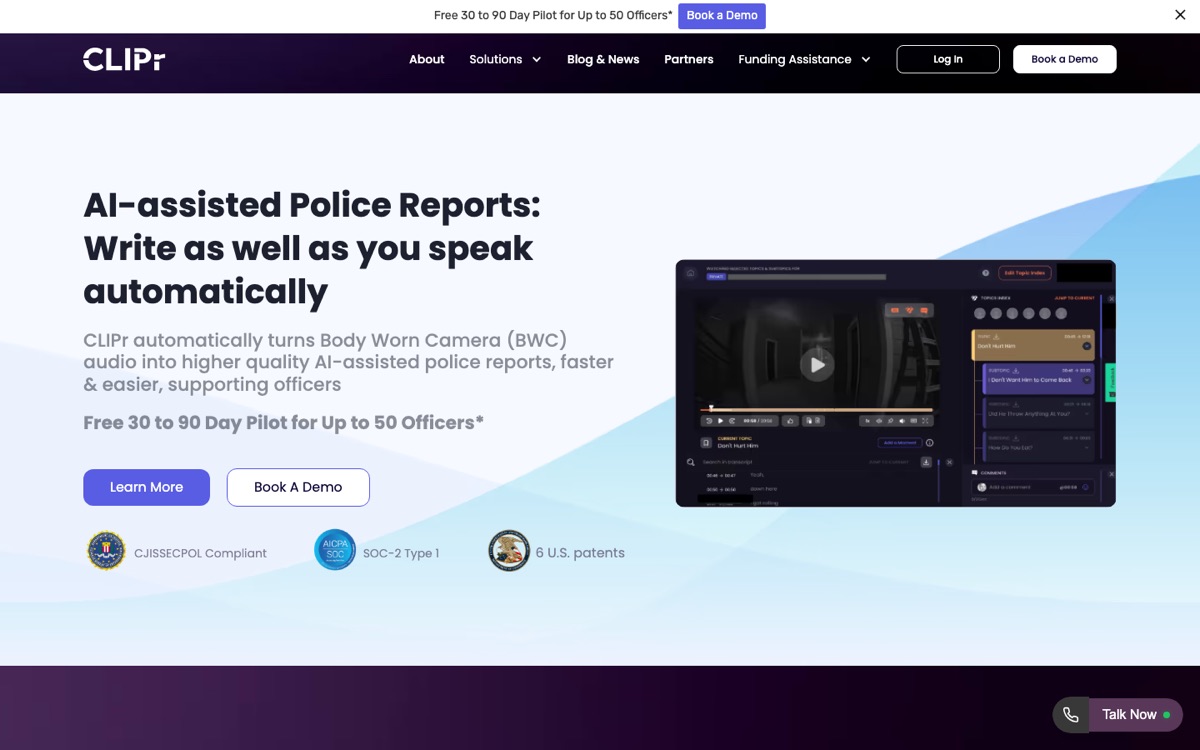
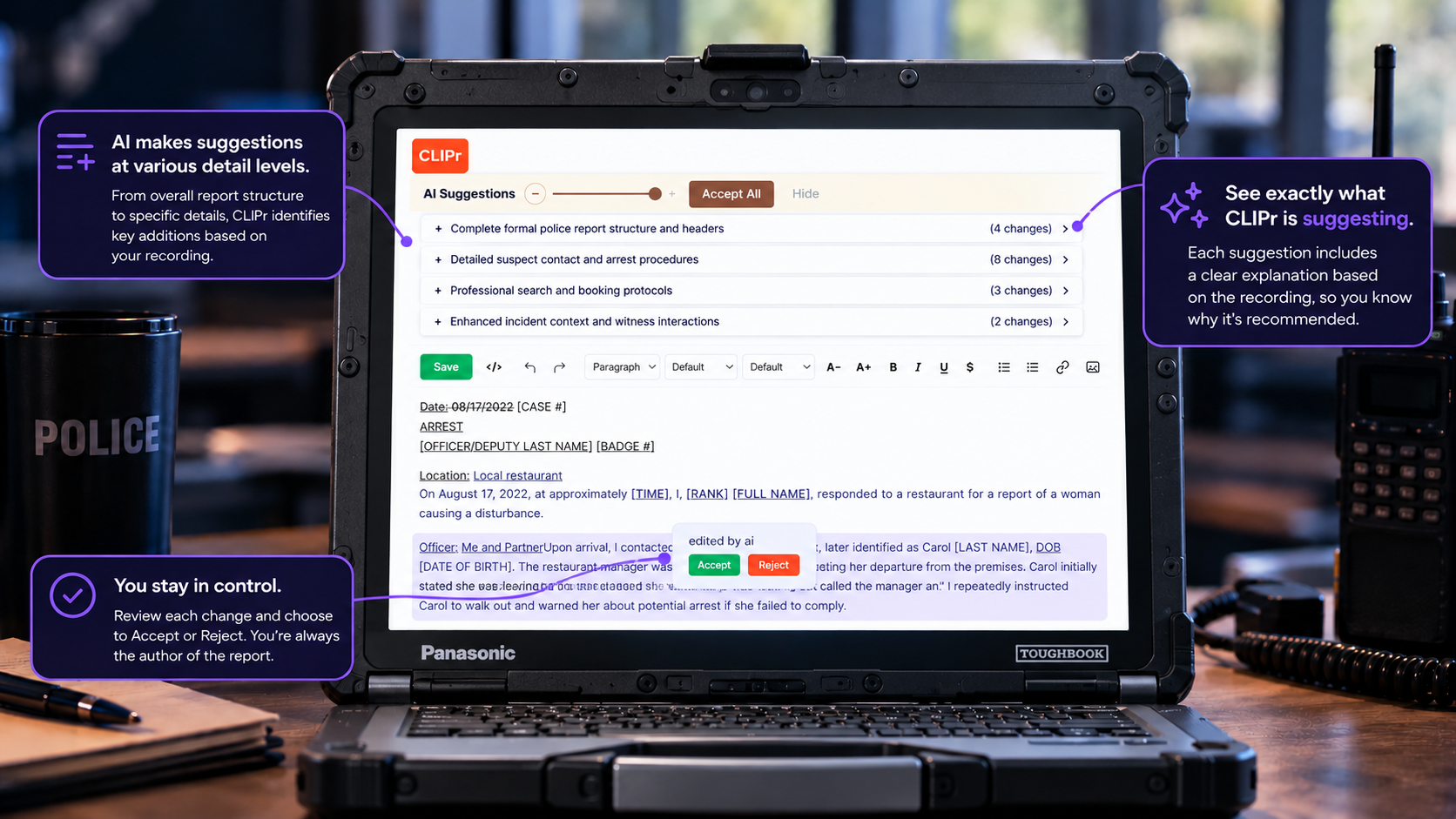
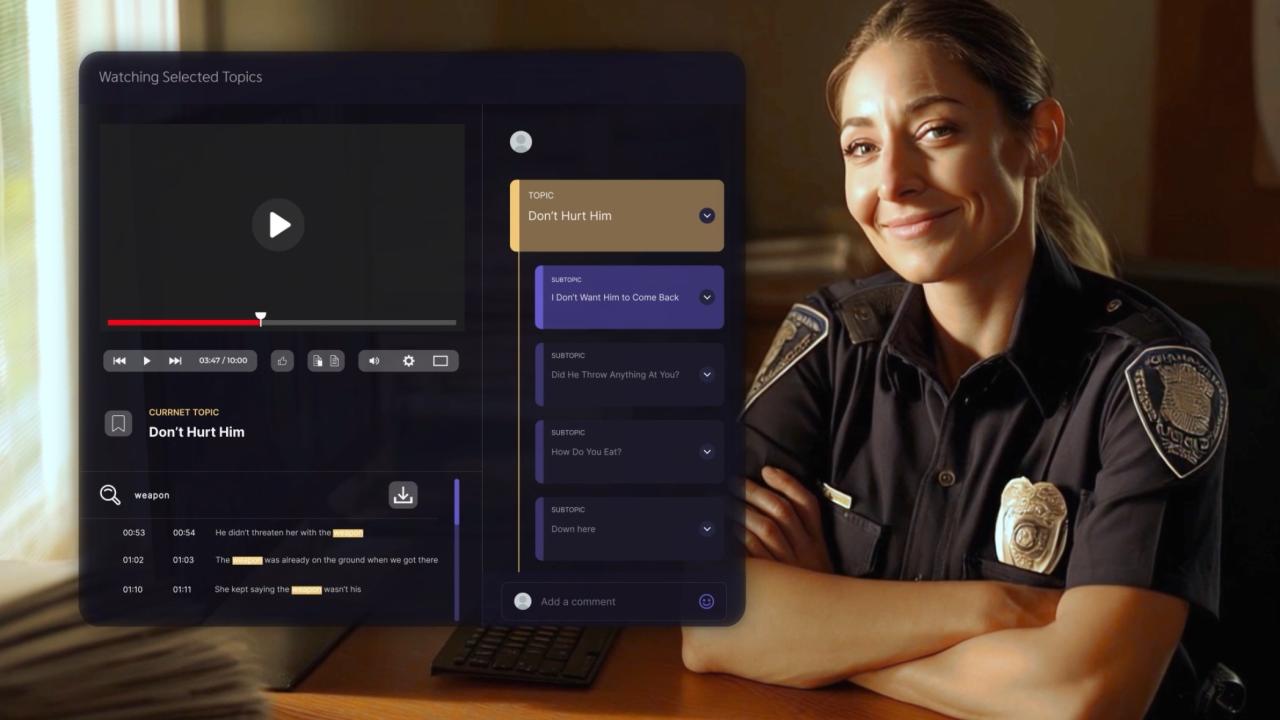
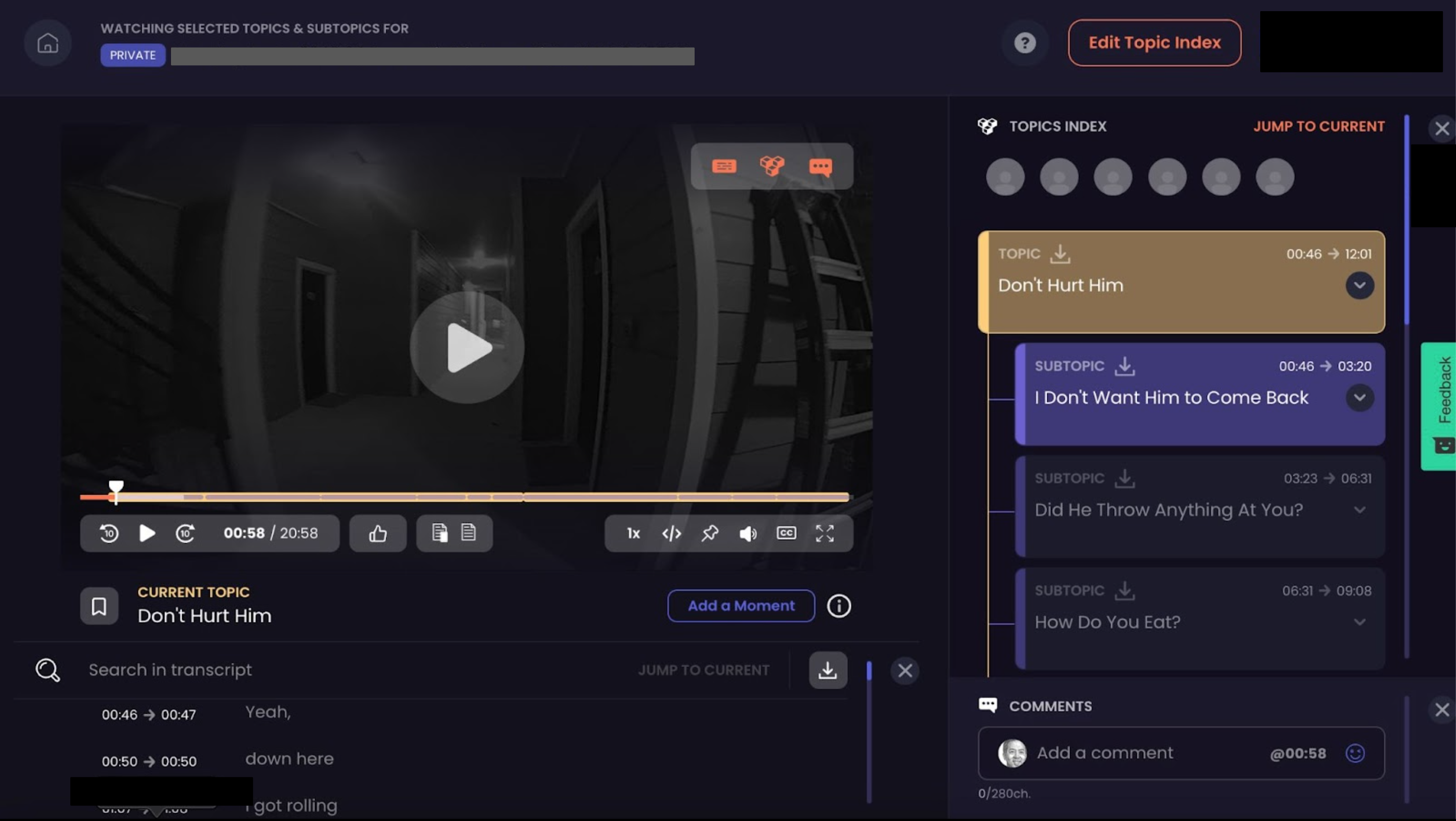
CLIPr is first here because it turns BWC and dashcam audio into AI-assisted drafts that officers review, edit, and own, then copy into the current RMS. It works across camera platforms instead of locking the agency into one ecosystem.
CLIPr is an AI platform for law enforcement you can start with drag-and-drop footage and no RMS replacement. A free pilot lets agencies test workflow fit, timing, draft quality, and implementation support before a contract, with no new hardware on day one.
ApproachAI-from-BWC/dashcam
Integration fitCamera-agnostic, copies into current RMS
AuditabilityOfficer review/edit, audit trail, CJIS Security Policy-aware posture; SOC 2 documentation and data terms available to review in procurement
Mobile / fieldDrag-and-drop upload, dock-to-auto-upload later
Strengths
The workflow respects what agencies already own. Day one, an agency drags and drops footage from its existing evidence platform, gets an email when the draft is ready, then reviews, edits, and copies the finished report into the current system of record. As the agency scales, CLIPr adds dock-to-auto-upload and a direct push of the finished report into the RMS. No rip-and-replace.
CLIPr lists compatibility with camera platforms including Axon, Motorola, i-PRO, Getac, Digital Ally, Reveal Media, Hytera, HALOS, and 10-8, and states it can cut report-writing time by up to 50%, a claim any agency can test directly because the pilot is free.
Security and data-handling posture is worth reviewing during procurement: CLIPr describes CJIS Security Policy alignment, its SOC 2 posture, agency data-ownership terms, and 6 U.S. patents, and can walk agencies through controls, ownership, retention, and deletion during evaluation. A CLIPr dictionary fixes repeated transcription errors, which matters for local street names and unit jargon.
Heads Up: CLIPr is not a replacement RMS. Agencies still need local policy for officer review, AI-use disclosure, retention, and supervisor spot-checks, and poor source audio can still reduce first-draft quality.
Pricing: Searchable Audio is $0.105/min and Searchable Video is $0.21/min; the free 30 to 90 day pilot requires no credit card, and larger deployments can be scoped around utilization, architecture, sovereignty, and carry-forward capacity.
Best for: Small agencies that need a low-friction pilot, and larger county, state, metropolitan, or national agencies that want "AI your way" while keeping sovereignty and architecture control.
02
Mark43 RMS
Best RMS replacement
Best for: agencies ready to replace their RMS and want report writing rebuilt into it.
A cloud-native records management system with dynamic forms and workflows designed to cut report-writing drag at the source.
ApproachRMS-native
Integration fitMark43 cloud platform
AuditabilityNative to system of record
Mobile / fieldYes, cloud-based
Strengths
Mark43 claims a 50-80% reduction in arrest and offense report-writing time through dynamic, validated workflows.
Mark43 positions NIBRS reporting support as part of the data model rather than a separate add-on, which records teams should verify against state requirements.
Axon states Draft One can reduce report writing time by 50%. For agencies already on Axon cameras and Evidence, footage, draft, and report live in one vendor's network.
The value is most straightforward inside the Axon ecosystem, so agencies should evaluate how much dependence they want on one vendor for footage, draft generation, evidence, and records workflow.
Heads up
AI-drafted reports have drawn public scrutiny on transparency and auditability, including concerns raised by the ACLU. A written policy and disclosure stance should be set before rollout.
Pricing: Custom pricing.
Best for: Agencies all-in on Axon hardware and Records that want AI drafting with the least integration work.
04
Tyler Enterprise Law Enforcement Records (Report Writing)
Best for IBR/NIBRS depth
Best for: agencies on or moving to the Tyler/New World stack with deep IBR/NIBRS needs.
The report-writing module inside Tyler's Enterprise Law Enforcement Records (formerly New World), covering field and mobile reporting with IBR/NIBRS alignment.
ApproachRMS-native
Integration fitTyler/New World stack
AuditabilityNative to system of record
Mobile / fieldField/mobile reporting
Strengths
Feature breadth and state reporting depth are the draw: field reporting, mobile workflows, and state IBR reporting handled inside one suite.
Tyler's own webinar, "From 30 to 7 minutes", illustrates the time reduction it positions for report workflows. Treat that figure as a vendor asset claim to test, not a guarantee. Tyler does not publish a per-seat price, so licensing is quoted custom rather than by a public rate. Source: Tyler Technologies webinar, "From 30 to 7 minutes" - last checked July 2, 2026.
Considerations
Pricing is opaque, and the suite's depth means implementation effort to match.
Heads up
Tyler is a records-suite decision, not a lightweight AI drafting pilot. If the main pain is slow narratives from BWC audio, validate whether a full records project is proportionate before starting procurement.
Pricing: Custom pricing.
Best for: Tyler/New World agencies, or buyers whose state reporting complexity justifies a deep integrated records suite.
05
CentralSquare Records
Best multi-agency sharing
Best for: agencies that share data across neighboring jurisdictions.
Records and reporting software within CentralSquare's public safety suite, built around field capture and reduced manual entry.
ApproachRMS-native
Integration fitCentralSquare public safety suite
AuditabilityNative to system of record
Mobile / fieldField capture
Strengths
Officers can capture reports in the field rather than back at the station, and the platform is positioned to cut duplicate data entry.
Multi-agency data sharing is the standout for regional clusters of departments that need records visibility across borders.
Considerations
Like every RMS-native option, the reporting gains require living in the CentralSquare suite.
Heads up
Public examples mix dated material with current claims, so ask the vendor to demo current module capabilities against your workflow.
Pricing: Custom pricing.
Best for: Agencies in multi-jurisdiction regions where shared records matter as much as faster narratives.
06
Versaterm RMS + Mobile Report Entry
Best in-vehicle entry
Best for: agencies that want reports started and finished in the vehicle.
Versaterm's records management system paired with Mobile Report Entry (MRE), part of an end-to-end records and evidence portfolio.
ApproachRMS-native
Integration fitVersaterm end-to-end suite
AuditabilityNative to system of record
Mobile / fieldMobile report entry
Strengths
The enter-once philosophy means data captured in the field flows through the records lifecycle without re-keying.
MRE keeps officers in their vehicles and on their beats instead of returning to the station to type.
Considerations
It is a full-suite commitment, not an add-on.
Heads up
Versaterm positions its value around enter-once data flow rather than a published time-savings percentage, so quantify gains in a pilot.
Pricing: Custom pricing.
Best for: Mobile-first agencies that want report entry embedded in patrol workflow and are open to the full Versaterm stack.
07
Nuance Dragon Law Enforcement
Best dictation layer
Best for: a dictation layer that speeds reports inside any RMS.
Speech recognition built for law enforcement that lets officers dictate incident reports directly into their existing RMS. Treat it as a dictation layer, not a report generator: the officer still authors every word, but typing time drops.
ApproachDictation
Integration fitWorks inside any RMS
AuditabilityOfficer authors every word
Mobile / fieldIn-car and desk dictation
Strengths
The most ecosystem-neutral tool on this list: no camera dependency, no records migration, works in the car or at the desk.
Central administration through Nuance Management Center keeps voice profiles and custom vocabularies manageable across a department. A Nuance case study of a Midwestern state police department documents its reporting impact in practice.
Considerations
Dictation is not drafting. The officer still composes the entire narrative from memory; the tool just captures it faster than typing.
Heads up
Accuracy depends on noise environment and voice-profile training.
Pricing: Enterprise licensing; contact sales.
Best for: Policy-cautious agencies that want speed gains while avoiding AI-drafting policy work, on any RMS.
08
Omnigo Incident Reporting
Best incident-first
Best for: incident-first reporting across campus and public safety teams.
Incident reporting software used widely across public safety and campus environments, with a mobile app that includes voice-to-text for field reports.
ApproachIncident-first
Integration fitOmnigo suite + mobile app
AuditabilityVerify by module set
Mobile / fieldVoice-to-text mobile app
Strengths
Simplicity. The incident-first design suits teams whose reporting needs center on clean, fast incident capture rather than full criminal records workflows.
The mobile app lets officers start and dictate reports in the field.
Considerations
Depth for municipal law enforcement depends on which modules an agency licenses.
Heads up
Departments with heavy NIBRS and investigations requirements will likely outgrow an incident-first core.
Pricing: Custom pricing.
Best for: Campus police, hospital security, and smaller public safety teams that need streamlined incident reporting more than a full RMS.
09
eFORCE RMS
Best for tight budgets
Best for: budget-conscious agencies that want a streamlined web-based RMS.
A web-based police records management system with a streamlined incident report workflow and budget-friendly positioning.
ApproachRMS-native
Integration fiteFORCE web-based RMS
AuditabilityNot detailed publicly
Mobile / fieldWeb-based access
Strengths
For small agencies stuck on aging or paper-adjacent processes, eFORCE offers a practical step up: web-based access and simplified incident reporting.
The cost posture is aimed at constrained budgets rather than enterprise procurement.
Considerations
It does not offer AI drafting from bodycam audio, so the time savings come from cleaner forms and workflow, not from automating the first draft.
Heads up
Agencies wanting AI assistance would pair it with an overlay tool.
Pricing: Custom pricing.
Best for: Small departments prioritizing affordability and simplicity over advanced automation.
10
PoliceReports.ai
Best drafting + analysis
Best for: AI report drafting plus investigative analysis layered over existing systems.
An AI platform for police report writing and investigative analysis that overlays existing agency systems, with modules including a report checker and bodycam processing.
It goes beyond drafting into analysis, and the report-checker module adds a quality-control layer.
The vendor publishes named case claims from agencies including Opa-locka, Nampa, and Uintah, and references CJIS and SOC 2 on its site.
Considerations
The headline time-savings figures are vendor-reported case studies, so validate fit and outcomes against your own baseline before extending past a pilot.
Heads up
As with any newer AI vendor, ask how draft version history, disclosure support, retention, and export controls work in practice.
Pricing: Contact sales; demo language references free licenses, so confirm current terms directly.
Best for: Agencies that want AI drafting plus investigative analysis tools in one overlay and are willing to verify case-study claims locally.
How to run a low-risk 30 to 90 day pilot
A pilot is where vendor claims meet your agency's reality. Run it deliberately and the data makes the budget conversation for you.
The step-by-step playbook on how to automate police reports covers implementation in more depth; here is the short version.
Baseline time-on-task and acceptance metrics
Measure before you start, or the pilot has no baseline.
Baseline minutes per report type for your three highest-volume categories (for example DUI, domestic, theft) across a representative officer sample.
Reports completed per shift and overtime hours attributable to report writing.
During the pilot: percentage of AI or dictated drafts accepted with minor edits, average edit time per draft, and supplement or correction rates compared to baseline.
Officer sentiment at week two and at close. A tool officers resent will fail after purchase no matter what the time data says.
A cadre of officers actively using the tool. Give them a short cloud-based questionnaire they can fill out on their phone while the experience is fresh, then analyze those notes and fold them into the final review for decisionmakers.
Policy and audit trail checklist
Settle these before the first draft is generated, not after a defense attorney asks.
A written policy stating that officers review, edit, and remain accountable for every report, regardless of how the draft was produced.
A disclosure position: does the agency note AI assistance on reports, and what do local prosecutors require? The ACLU's white paper on AI-drafted police reports is worth reading to understand the questions agency counsel may hear.
Version history preserved: the original AI draft, officer edits, and final report should be retrievable.
Ask each vendor to walk you through its data controls, ownership, retention, deletion terms, and CJIS Security Policy posture during evaluation.
A public-release path: if reports and source footage become FOIA targets, FOIA-ready redaction needs to be part of the workflow, not an afterthought.
A brief for union representatives and command staff before the pilot, not during it.
Agencies that want the lowest-friction starting point can pilot CLIPr with their current cameras and RMS: the standard pilot runs 30 to 90 days for up to 50 officers.
Departments with recently upgraded MDTs can use the no-dock, drag-and-drop MDT pilot program and have officers running within a shift.
Buyer's decision guide: choose X if...
Choose CLIPr if
You want AI drafts from the bodycams you already own without an RMS migration.
That can mean a small department testing value quickly, or a larger county, state, metropolitan, national, or sovereign agency that wants "AI your way" across modern cloud, private, or hybrid architecture.
Choose Axon Draft One if
Your agency is already standardized on Axon cameras and Axon Records. The ecosystem integration is the product; outside it, agencies should test whether the same workflow value carries over.
Choose Mark43 or Tyler if
An RMS replacement is already funded and underway. Fix report writing inside the migration rather than bolting on a tool you may replace anyway. Mark43 suits cloud-first modernizers; Tyler suits deep IBR/NIBRS complexity and existing New World shops.
Choose Nuance Dragon Law Enforcement if
Your council, union, or prosecutor relationships make AI drafting premature. Dictation can improve speed while avoiding AI-drafting policy questions, and nothing stops you from piloting AI drafting later.
Choose eFORCE if
Budget is the binding constraint and the current records process is the real bottleneck. Pair it with grants: agencies that qualify can offset costs through law enforcement technology grants.
Choose an investigations-focused setup if
Interview documentation is the bigger drain than patrol narratives.
PoliceReports.ai adds investigative analysis, and CLIPr's detective interview-room reports turn recorded interviews into speaker-identified, searchable first drafts, with a free 30-day pilot for up to 50 detectives.
FAQs
There is no blanket prohibition, but rules vary by state, agency policy, and prosecutor expectations.
A practical baseline to discuss with counsel and prosecutors is officer review of every draft, a written policy, a disclosure stance, and preserved version history.
Yes, copy-into-RMS can work for ecosystem-agnostic tools like CLIPr when the surrounding process is documented.
The agency should require officer review and edits, retain the draft-to-final version trail, confirm retention and deletion terms, and keep the final RMS report as the official record.
Officers still need command of the fundamentals, which is why pairing rollout with a refresher on how to write a police report can improve edit quality.
No. Draft One is designed around the Axon ecosystem, but camera-agnostic tools exist for agencies with mixed or non-Axon environments.
CLIPr lists support for camera platforms including Axon, Motorola, i-PRO, Getac, Digital Ally, Reveal Media, Hytera, HALOS, and 10-8 and copies finished reports into your existing RMS, while PoliceReports.ai overlays existing systems.
Your camera vendor should inform the shortlist, not dictate it.
No full-featured product on this list is free outright, and a permanently free tool would raise its own data-security questions.
The practical equivalents are free pilots: CLIPr offers 30 to 90 days for up to 50 officers with no credit card, and its MDT pilot runs 14 days with no dock required.
For permanent funding, federal, state, and private law enforcement technology grants can cover adoption costs for qualifying departments.
The bottom line
The report-writing category is splitting in two: records platforms making forms faster, and AI tools addressing the first draft itself.
Over the next few budget cycles, auditability features such as draft history, disclosure tooling, and export trails are likely to matter more as policy expectations mature.
Small agencies will favor vendors that can show local value in weeks, not quarters.
The next step is not a purchase. Baseline your minutes-per-report this month, pick one or two tools that fit your PATROL scores, and run a structured pilot against that baseline.
Officers preparing to evaluate drafts can sharpen their eye with these police report writing examples before the pilot starts.
CT
CLIPr Team
AI-assisted public safety documentation
CLIPr turns BodyCam and DashCam audio into AI-assisted police report drafts that officers review, edit, and copy into their existing RMS.
CLIPr describes the platform as designed around CJIS Security Policy alignment and its SOC 2 Type 1 posture; agencies can review controls, documentation, ownership, retention, and deletion terms during procurement and can test the workflow in a free 30 to 90 day pilot for up to 50 officers.
Test CLIPr's report workflow on your own bodycam footage
Run CLIPr with your own bodycam footage. Free 30 to 90 day pilot for up to 50 officers, no credit card required, subject to approval.