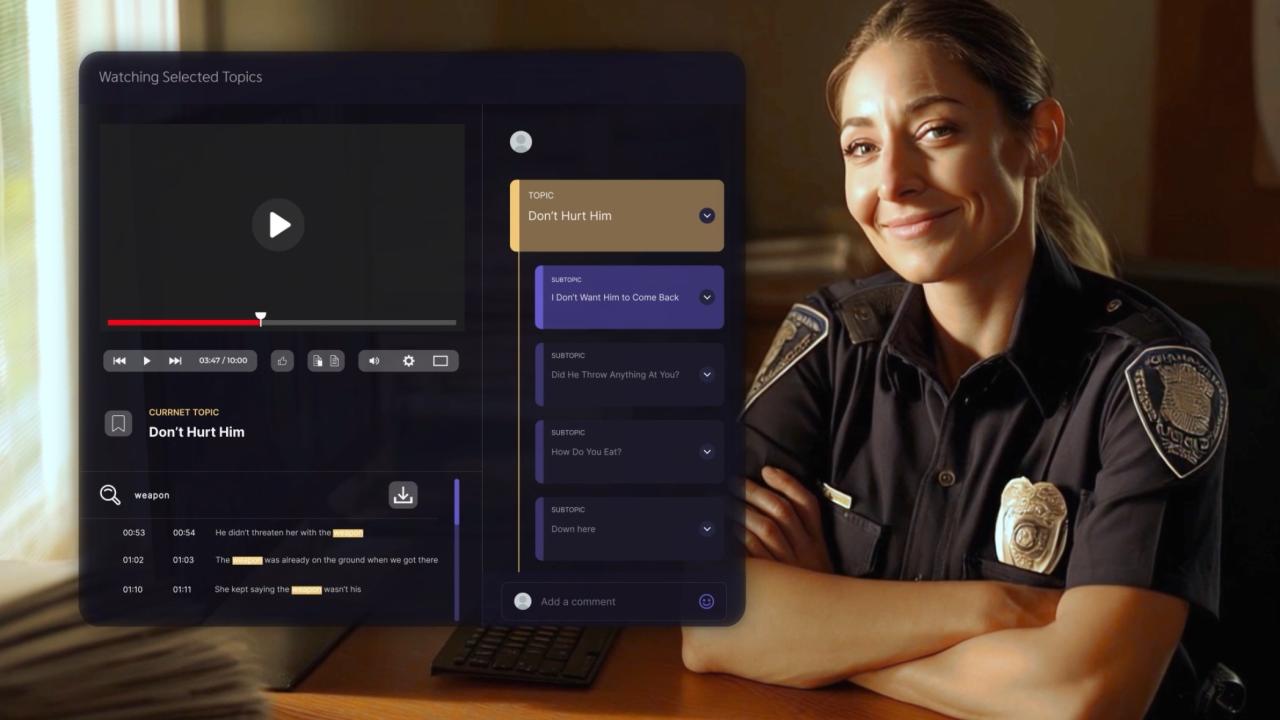
A 10-step pipeline for agencies modernizing report drafting: AI drafts from the recordings you already capture, officers review and attest, and finished reports land in your existing RMS.
C
CLIPr TeamAI-assisted police reports from bodycam audio
This guide walks command staff and records supervisors through automating police report drafting from recordings your agency already captures: BWC audio, dashcam, and interview-room feeds. The outcome is an AI-assisted draft pipeline where officers review, attest, and move finished reports into the existing RMS.
It is written for agencies that need a low-friction start, plus larger agencies that want an "AI: Your Way" rollout fitting local architecture and policy. Expect 2 to 4 weeks to stand up a pilot and 60 to 90 days to evaluate it.
An inventory of audio/video sources: BWC platform and camera models, dashcam systems, interview-room recording, and how each exports files.
Your RMS and CAD identifiers: how incident numbers are assigned and where they appear in a finished report.
1 or 2 report types to pilot first: incident and arrest reports are common starting points.
Policy stakeholders on board: chief or sheriff, legal counsel, records supervisor, IT/security owner, and a training lead.
Sample recordings and recent reports to baseline current timing and quality.
The Report Automation Field Blueprint (RAFB)
Report automation projects are easier to defend when they start with a readiness check instead of a vendor demo. The RAFB is a 2-part scoring tool that turns "let's try AI" into a plan a chief, legal counsel, and records leadership can evaluate.
Part 1: Readiness and Risk Scorecard
Score your agency 0 to 2 on each criterion before talking to any vendor.
Criterion (score 0-2)
Score 0 if
Score 2 if
CJIS policy alignment
Nobody has mapped the tool against the CJIS Security Policy
IT/security has reviewed vendor posture against current CJIS requirements
Auditability
No plan for logging when AI was used
AI usage is logged per report and retrievable
RMS handoff fit
Drafts would require re-keying or a new RMS
Drafts move into the existing RMS without forcing a new filing workflow
Ingestion readiness
Recordings live on scattered devices with no export path
BWC, dashcam, and interview audio export reliably for drag-and-drop, with docking available later
Disclosure and attestation policy
No written policy on AI-assisted reports
Disclosure language and attestation steps drafted and reviewed
QA staffing and supervisor review
No one owns draft quality
A supervisor owns weekly QA with a defined exception process
Training and change plan
Officers would learn by trial and error
A training lead has a session plan ready
Procurement and funding path
No budget line or pilot authority
Pilot terms, funding source, or grant path identified
How to read your score
13 to 16Go.
9 to 12Go small with 1 report type and a tight cohort.
8 or belowPause and fix the zeros first.
Part 2: Pilot Scorecard
Track these KPIs weekly once your pilot starts (Step 6). Targets are working bands, not pass/fail lines.
Pilot KPI
How to measure
Target band
Edit rate per report
% of draft text changed before attesting
Trending down by week 3; 20-40% is a reasonable early band
Time saved per report
Baseline minutes minus pilot minutes
Positive and rising by week 2
Exception rate
% of drafts discarded and written manually
10% or less
Supervisor rework
% of reports kicked back after review
15% or less
Audio failure rate
% of recordings too poor to draft from
5% or less
Disclosure compliance
% of final reports carrying the disclosure
98% or higher
Audit log present
% of AI-assisted reports with a retrievable log
100%
Officer satisfaction
1-5 weekly survey
4 or higher
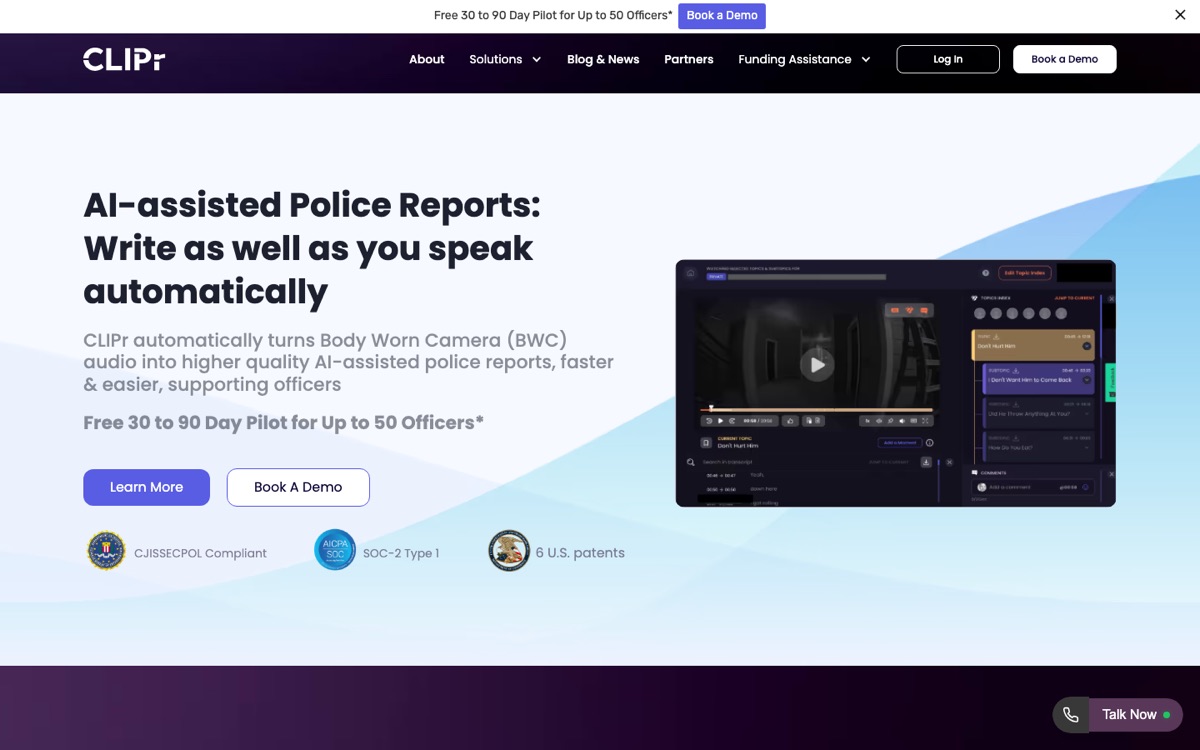
A platform built around AI-assisted police reports from BWC audio, like CLIPr, is one way to test the Blueprint on real footage. Its free 30 to 90 day pilot for up to 50 officers maps cleanly onto the scorecard timeline.
Step 1Map Your Current Report Flow and Baseline Time
You cannot evaluate automation without knowing what "before" costs. Run a 1 to 2 week time study.
Ask 3 to 5 officers to log their next 5 reports each: report type, recording length, minutes drafting, minutes in supervisor revision loops, and where the report was filed. Logging takes 10 to 15 minutes per report.
Keep it in a shared sheet, one row per report.
You now have 2 facts that matter more than demo claims: your real baseline cycle time and your real failure modes. Both feed the Pilot Scorecard.
Step 2Choose Your Automation Approach and Scope
There are 3 realistic paths, branching by where your recordings live:
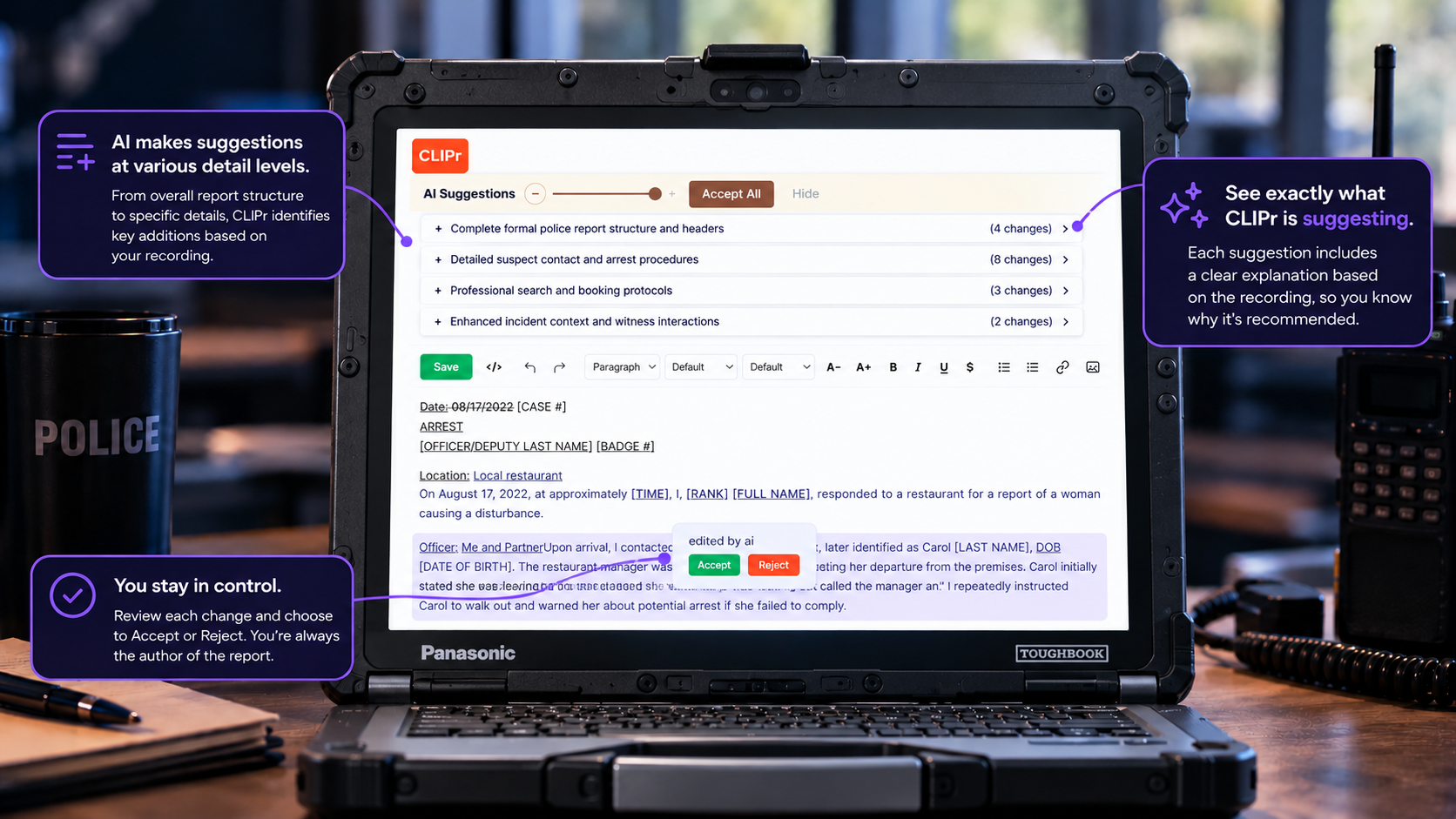
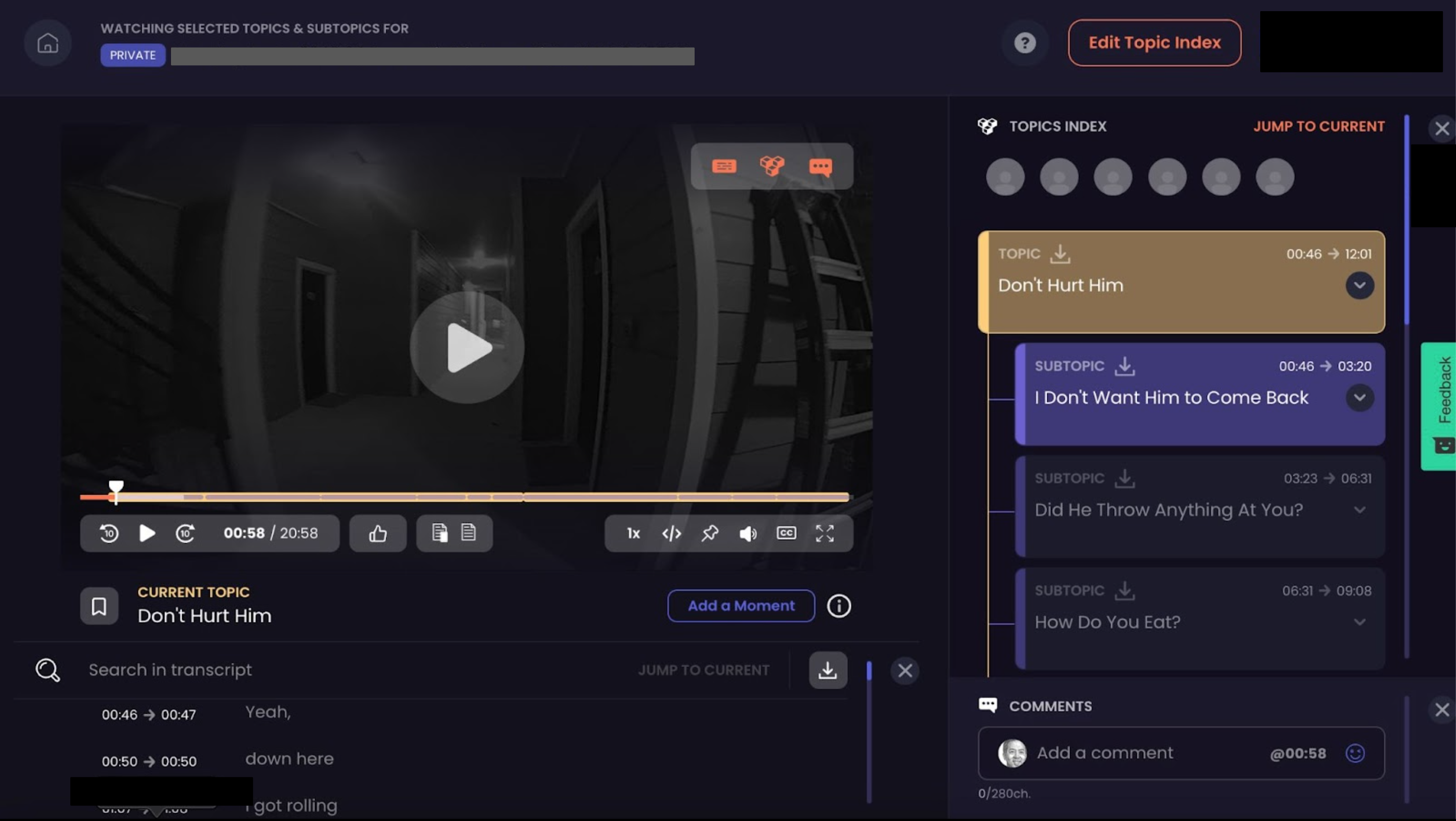
BWC-first drafting. The tool ingests bodycam or dashcam audio and produces a narrative draft. This is the approach an AI police report generator takes, and it is CLIPr's core workflow: drag and drop footage from your existing evidence platform, get a notification when the draft is ready, review and edit, then copy into the RMS. As the agency scales, dock-to-auto-upload feeds footage in at end of shift and a direct push can send the officer-certified report into the RMS where the RMS vendor allows it.
RMS-native add-ons. Drafting features inside your records platform. Lowest text-field integration lift, but quality depends on what audio, metadata, and evidence the RMS can actually see. BWC-first tools sit closer to the raw multi-channel audio; RMS-native tools sit closer to final filing.
Third-party platforms. Standalone tools between your evidence system and RMS. The category overview of police report writing software breaks down the options.
CLIPr's BWC-first workflow: drag and drop footage from your evidence platform, get a notification when the draft is ready, review and edit, then copy into the RMS.
Scope discipline beats tool choice. Start with 1 or 2 report types.
Step 3Write Policy Guardrails, Disclosure, and Attestation
Do this before connecting a single camera. Three pieces should be settled early:
A disclosure line on AI-assisted reports. Example to adapt with counsel:
Sample disclosure language
"This report was prepared with the assistance of AI-assisted draft narration from recorded audio. The reporting officer reviewed and edited the draft and attests to the accuracy of the contents."
An officer attestation step. The officer confirms every fact was verified against the recording and their own recollection. Axon's Draft One explainer describes a similar principle: officer review and editing come before a draft becomes a report. It is worth understanding each vendor's model-use and data-sharing terms during procurement.
Audit log retention. Require that AI usage records be kept and retrievable, with a named retention period.
Ground the security side in the FBI CJIS Security Policy, and mind the phrasing: CJIS is a policy your deployment aligns with, not a certification any vendor holds. Walk through controls, documentation, ownership, retention, and deletion terms with your chosen vendor during procurement so everyone shares the same understanding.
Step 4Connect Your Sources and Set Auto-Processing Rules
Now wire up ingestion, and do it in phases. Start by dragging and dropping exports from your existing evidence platform, no docking or new hardware required to begin.
Once the workflow is working for the pilot cohort, add dock-to-auto-upload so footage flows in at end of shift.
CLIPr supports both, and departments can specify which video types auto-process, so traffic stops do not flood the queue while you pilot incident reports.
Set 3 rules before the first file moves:
File naming and ID capture. Every recording carries the CAD incident number or RMS case ID so drafts attach to the right case.
Source routing. Decide which sources feed drafting now (BWC yes, interview room later) and which report types each serves.
Speaker handling. Multi-speaker scenes need speaker identification to keep statements attributed correctly. If transcript quality is the bottleneck, bodycam transcription software is the layer to fix first; interview-heavy units should hold to legal transcription software standards.
Common pitfall
Poor audio and cross-talk. Teach a 5-second mic check at the start of contacts, and test your worst-case audio (wind, radio chatter, overlapping voices) during setup, not during the pilot.
1Drag and drop
2Transcribe
3AI draft
4Officer review and edit
5Attest
6Copy or API into RMS
The audit log runs underneath the full pipeline, from ingestion to the finished report.
Step 5Configure Drafting Templates and Required Elements
A draft is useful when it matches your agency's format. Lock down:
Point of view and tense. Most agencies use first-person past tense for the officer's narrative.
The core elements. Who, what, when, where, and how, in the order your prosecutors expect.
Charges and statute fields. Drafts leave statute selection to the officer, never auto-assign charges.
NIBRS data elements. Automation changes how the narrative gets drafted, not what your state program requires. Keep required elements intact per the FBI's NIBRS overview and the UCR technical specifications.
Pull strong reports from your own records and compare them against police report writing examples to define what "good" looks like for the template.
Step 6Pilot With a Small Cohort and Measure Edit Rate
Pick 5 to 20 officers across shifts, scaled to agency size, including at least 1 skeptic. Skeptics find the failure modes volunteers politely ignore.
Run 30 to 90 days against the Pilot Scorecard. Edit rate is the headline KPI.
Decision rule
A falling edit rate usually means templates, dictionaries, training, and officer narration are getting better together. A flat, high one means template or audio problems, not officer problems.
Hold a 30-minute weekly review: scorecard numbers, 2 or 3 sample drafts read aloud, and an accept/exception decision for anything that went sideways. Discarded drafts go in the exception log with a reason code.
If your department recently upgraded MDTs, CLIPr's MDT pilot program is a free 14-day technical feasibility pilot with no dock required: drag and drop files from your existing BWC evidence platform.
If that confirms the workflow is usable for your agency, roll the results into the broader 60 to 90 day evaluation.
Step 7Train Officers on Review, Edits, and Attestation
Training is 1 session plus reinforcement, not a binder. Cover 3 skills:
Fill-in-the-blank discipline. Good tools leave deliberate gaps for facts only the officer knows. Treat every blank and bracket as a required review item.
Must-verify items. Names, dates of birth, addresses, times, statute references, and direct quotes get checked against the recording every time, even when the draft looks clean.
Dictionary corrections. Recurring errors (street names, call signs, officer surnames) get fixed once at the system level. CLIPr's dictionary corrections exist for exactly this.
Close on attestation: the signature means "I verified this," and a draft is never a report until an officer makes it one.
Common pitfall
Rubber-stamping. If week-1 edit rates look suspiciously low, supervisors should spot-check drafts against recordings before celebrating.
Step 8Route Drafts to RMS Without Breaking Your Workflow
The fastest path is the one your records unit already trusts:
Copy/paste. The officer reviews the draft, copies the finalized narrative, and pastes it into the existing RMS record. This usually avoids pilot-stage integration work and keeps records staff on a familiar review path. This is the default CLIPr workflow and a practical starting point for most pilots.
API integration. Direct push of the officer-certified report into the RMS, instead of copying it over by hand. This is the mature phase: worth it at scale, but not a pilot prerequisite.
That phased path matters. If a vendor requires full RMS integration before a pilot, ask whether the workflow can be tested without turning the pilot into a larger IT project first.
Either way, the RMS remains the system of record and records review stays intact. The source recording stays in your evidence platform as the original, and agencies should confirm with counsel how their chain-of-custody and evidence rules treat AI-assisted drafts.
Common pitfall
Formatting loss on paste. Test pasted narratives in your RMS fields during setup, including line breaks and special characters.
Step 9Log AI Usage and Audit Trails
This step protects the whole program. Critics have raised real questions: an ACLU report on automated police reports flags transparency and accountability risks.
Ars Technica reported on a controversy over whether records of AI involvement were retained, along with the vendor's response on auditability.
The answer is operational:
Log every AI-assisted report: report ID, source recording, draft timestamp, and confirmation that an officer edited and attested.
Make logs retrievable for supervisors, auditors, or courts on your own records timeline.
Keep the disclosure on the final report per Step 3.
Agencies that can answer "when was AI used and who verified the output" in 1 query are better prepared for supervisor, auditor, court, or public-records review.
Step 10Monitor, Tune, and Expand
After the pilot stabilizes, shift from testing to operating.
Tag every exception and review monthly. The taxonomy tells you whether to fix mics, templates, or training.
Expand deliberately: add the next report type after the current one holds its scorecard targets for 4 straight weeks. Arrest, crash, and DV reports each have their own required elements, so revisit Step 5 for each addition.
Expand the ingestion path the same way. Once drag-and-drop drafting is holding its targets, add dock-to-auto-upload so footage flows in after a shift.
Then move the officer-certified report into your RMS through a direct push where RMS API access and vendor terms allow it. Take each step after the one before it is stable.
Schedule a semiannual audit: re-run the Readiness Scorecard, sample 10 random AI-assisted reports, and verify disclosure and audit logs on each.
How to Know You Did It Right
Run these checks at the end of your pilot:
Every AI-assisted report carries the disclosure line.
Every AI-assisted report has a retrievable audit log entry.
Edit rate has stabilized at or below your target band.
Time per report is measurably below your Step 1 baseline.
Exception rate is under 10%, each with a reason code.
Records staff confirm the review workflow stayed familiar.
A supervisor can pull any report and verify it against the source recording.
Officers choose to keep using the tool after the pilot.
Troubleshooting
The draft missed a key fact.
If the fact was never spoken on the recording, that is a training point: narrate key observations on scene. If it was spoken and missed, log it in the error taxonomy and flag it to the vendor.
Audio is too poor to draft from.
Track it as your audio failure KPI. Fix mic placement and mic checks first; most "AI problems" are microphone problems.
One video covers multiple incidents.
Split processing by CAD incident ID, or trim exports per incident before upload. Never let 1 draft straddle 2 case numbers.
An officer disagrees with the draft's wording.
Good. The draft is raw material, not a script. The officer rewrites in their own words and attests.
The RMS rejects pasted content.
Usually formatting characters or field limits. Paste as plain text and confirm limits with your RMS admin.
A FOIA request hits an AI-assisted report.
The report releases like any other. The underlying video may need faces, plates, or PII removed first, and redaction services can support that work.
Want a pilot that starts from your BWC audio with review, attestation, and audit logging built into the workflow? That is the conversation to have with CLIPr.
Frequently Asked Questions
AI can write the first draft, not the report. Tools generate a draft narrative from recorded audio; the officer reviews, edits, fills in facts only they know, and attests to accuracy.
The COPS Office and vendors describe officer review as a required safeguard.
Add a standard disclosure line stating that a draft was generated from recorded audio and that the reporting officer reviewed, edited, and attests to the contents. Adapt the wording with legal counsel and write it into policy before the pilot starts.
Start with four numbers: edit rate trending down by week 3, time saved versus baseline, exception rate, and audit log presence (100%). Add disclosure compliance and officer satisfaction for the full Pilot Scorecard.
No. Automation changes how the narrative gets drafted, not what your state program requires. Templates must preserve the required data elements per the FBI's NIBRS resources, and your submission process stays as it is.
Wrap-Up: Automate the Draft, Keep the Judgment
A defensible rollout follows a simple order: baseline first, policy before pilots, officers reviewing and attesting, and an audit trail that supervisors can retrieve.
Your RMS stays put, your evidence workflow stays put, and the intended change is a shorter drafting cycle.
The RAFB scorecards give you procurement-ready structure for your chief, counsel, and council.
The next move is running them against real footage: CLIPr's free 30 to 90 day pilot for up to 50 officers starts from the bodycam audio your agency already records, with review, attestation, and deployment-specific data terms reviewed during procurement.
For the bigger picture on where documentation automation fits, Technology and Policing is the natural next read.
CT
CLIPr Team
AI-assisted public safety documentation
CLIPr turns Body Worn Camera and DashCam audio into AI-assisted police report drafts that officers review, edit, and attest before anything enters the RMS.
CLIPr is designed around CJIS Security Policy alignment. Deployment-specific controls, SOC 2 documentation, data ownership, retention, and deletion terms are set during procurement.
Pilot AI-Assisted Police Reports With CLIPr
Run CLIPr with your own bodycam footage. Free 30 to 90 day pilot for up to 50 officers, no credit card required, subject to approval.