10 Law Enforcement Software Options for Small and Mid-Size Agencies in 2026
Ten options across RMS, CAD, digital evidence, AI report writing, and digital forensics, scored against five explicit criteria and closed out with a decision framework you can take to your chief, council, or procurement office.
C
CLIPr TeamAI-assisted police reports from bodycam audio
If you run a police department or its IT and records operation, law enforcement software is not one purchase. It is at least RMS, CAD, DEMS, AI report writing, and digital forensics.
Many buying guides treat those categories as interchangeable, but sequencing matters.CLIPr's government leadership page cites officers spending 3+ hours per shift on paperwork, and CLIPr's MDT pilot page notes that nearly 90% of local police departments have fewer than 50 sworn officers.Small agencies carry the same mandates with leaner IT staff.
This guide scores 10 options against five criteria.The goal is a defensible shortlist for leadership or procurement.Often, layering AI report drafting and evidence workflow improvements is more defensible than immediate RMS rip-and-replace.CLIPr publishes this guide, so scoring stays tied to explicit criteria.
How These Tools Were Evaluated
Five criteria drove every entry on this list. They map to how agencies actually buy, not how vendors demo.
Time-to-value. Good: officers productive within weeks, pilots available, no new hardware. Bad: 12 to 24 month implementations before anyone files a faster report.
Integration fit. Good: works with your existing cameras, CAD/RMS, and evidence platform. Bad: requires replacing systems that still work.
Compliance posture and data ownership. Good: CJIS Security Policy-aware posture, clear audit trails, and written ownership, retention, and deletion terms. Bad: vague security pages and ambiguous data rights. Note the wording: CJIS is a policy, not a certification; ask vendors for deployment-specific controls and documentation.
Training burden and change management. Good: fits the workflow officers already run (drag and drop footage from the evidence platform, review a draft). Bad: new shift-long workflows that records and patrol both have to relearn.
Total cost posture. Good: transparent pricing, pilots, cooperative contracts, or grant paths. Bad: opaque quotes with no way to budget before the RFP.
Pricing in this category is mostly custom and contract-based. Where a vendor publishes numbers, they are cited. Where they do not, the entry says "custom pricing" rather than inventing one.
The Five-Box Decision Matrix
Before reading a single product card, set up your scoring sheet. This matrix turns a vendor argument into arithmetic.
How to use it: first pause any vendor that cannot satisfy your baseline security and data-ownership requirements. Then rate each remaining vendor 1 to 5 per criterion, multiply by the weights, and rank the totals.
Take your top two, then pilot the leader before signing anything multi-year.
The matrix also answers the hardest sequencing question in this market: full RMS/CAD modernization versus layering AI report drafting and evidence tools on top of what you have.
Score both paths honestly and the time-to-value and integration rows usually decide it.
TL;DR Comparison Table
Here is the full field at a glance. Every cell reflects vendor-stated capabilities or public documents, not guesses.
Good fit for report automation and layered deployment, not a CAD/RMS replacement.
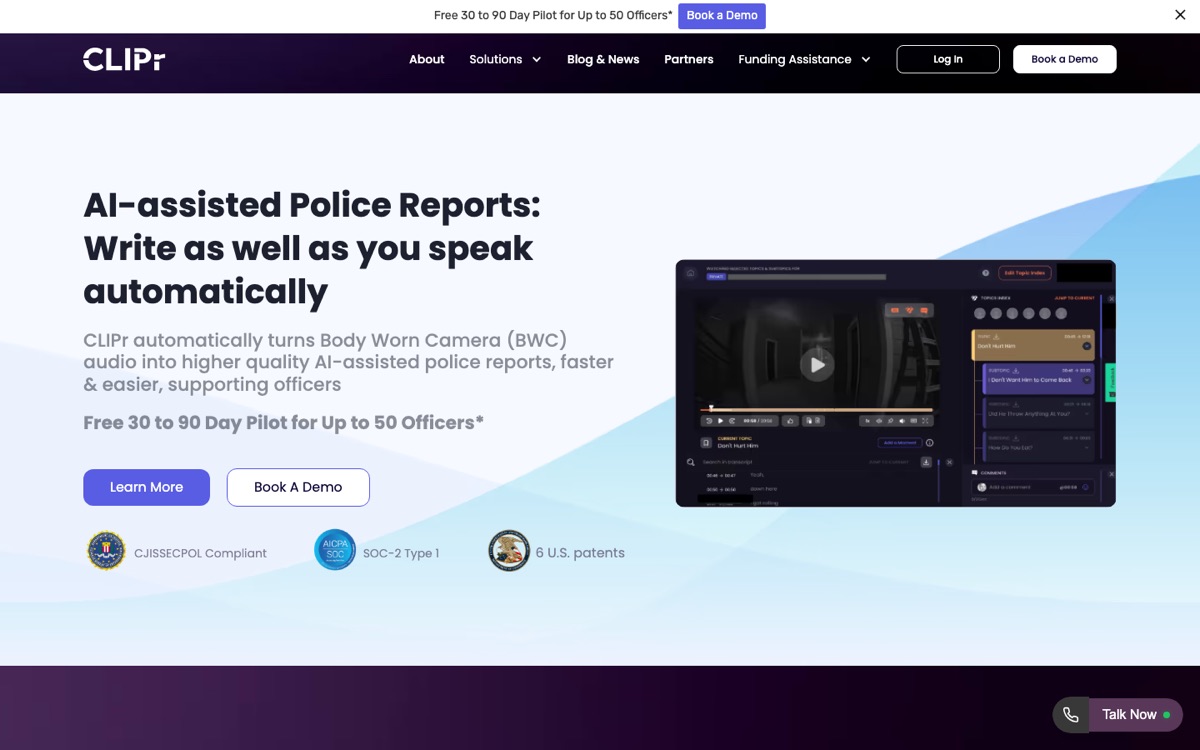
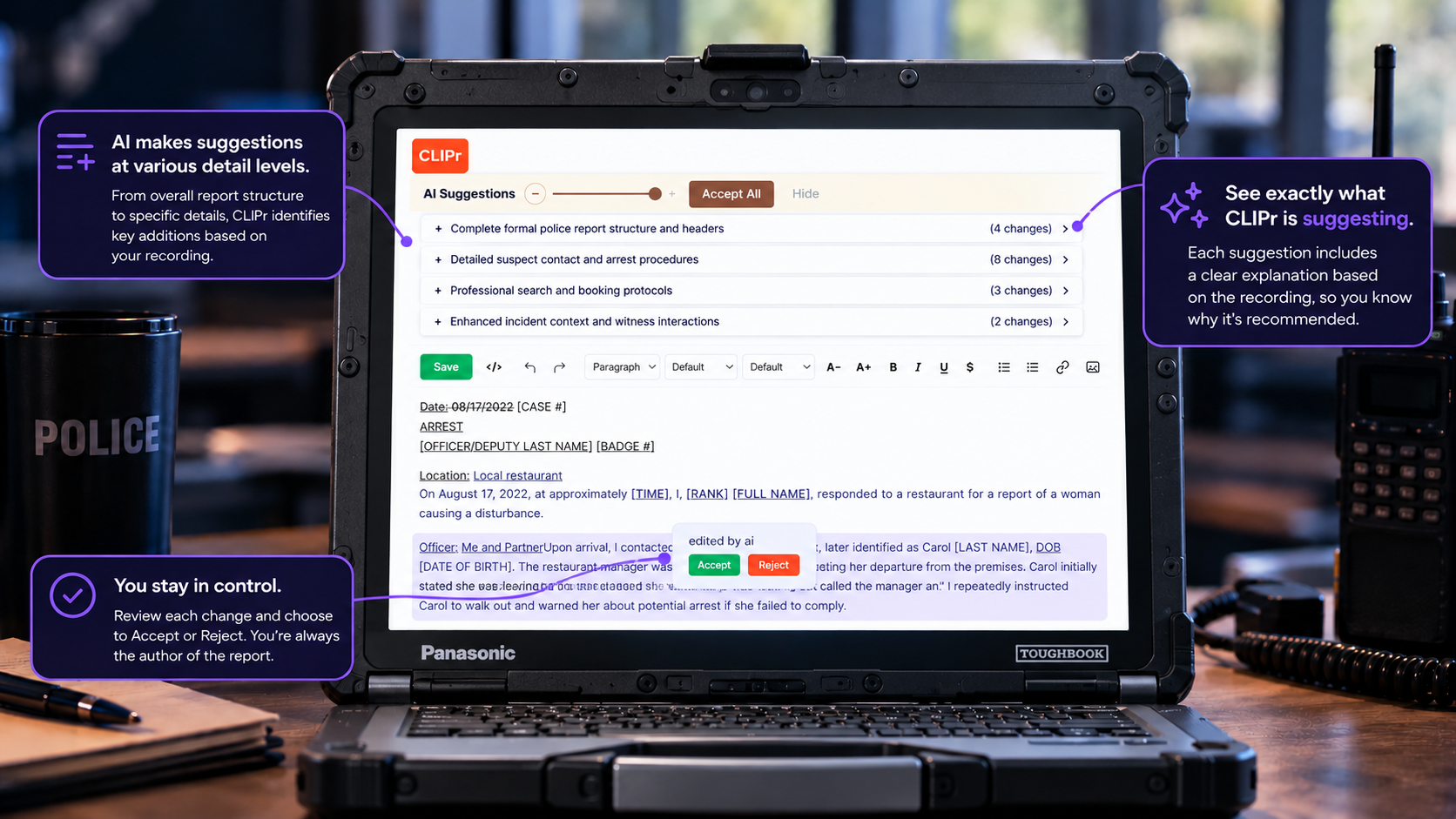
Why it is first in this guide: CLIPr fits when reporting speed and evidence-to-report workflow are the bottleneck, not a brand-new CAD or RMS. It turns BWC and dashcam audio into AI-assisted drafts that officers review, edit, and own.
The entry is practical: a free 30 to 90 day pilot for up to 50 officers, then drag-and-drop first and automation later. It layers onto existing cameras and RMS workflows, with security and data terms reviewed during procurement, so no rip-and-replace is required to start.
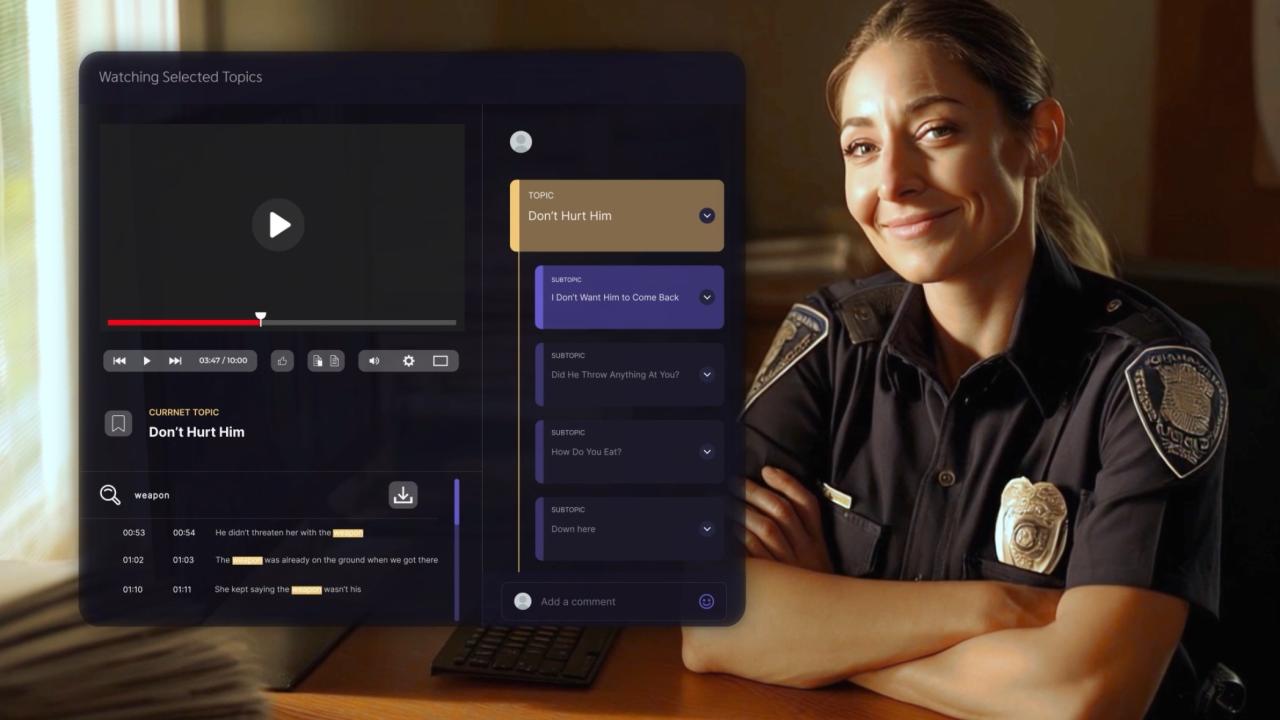
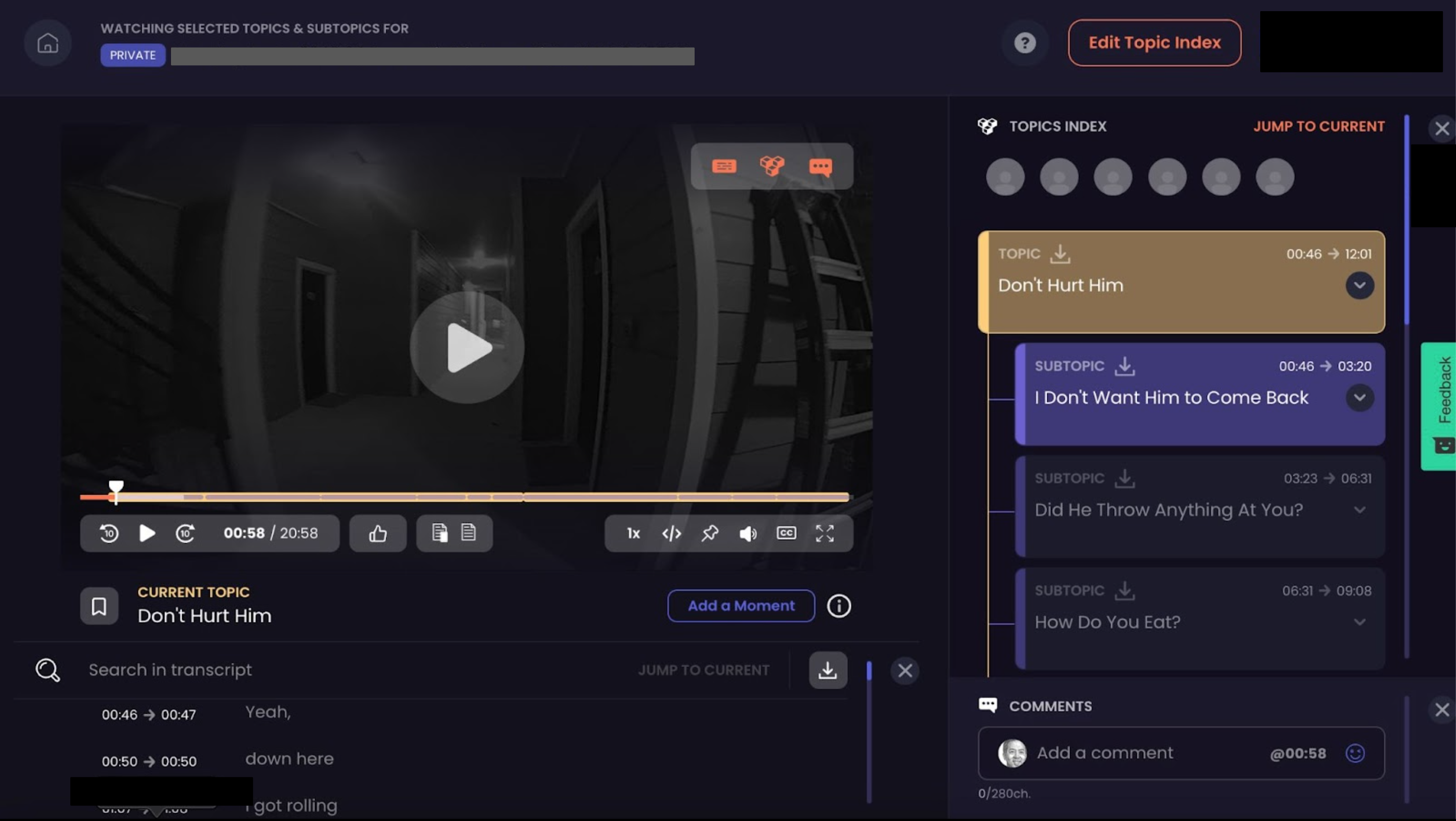
CLIPr's homepage leads with AI-assisted police reports drafted from BWC audio: drag and drop footage from your evidence platform, get notified, review the draft, copy it into your RMS.
CategoryAI report drafts + redaction; not an RMS or CAD
DeploymentCloud-based
Key integrationsAxon, Motorola, Getac, Digital Ally, Reveal Media, Hytera, HALOS, 10-8, i-PRO and other BWC/dashcam systems; copies into existing RMS
Strengths
Time-to-value, by design. The day-one workflow is drag and drop footage from your evidence platform, get a notification, review the draft, copy into the RMS. As the agency scales, CLIPr adds dock-to-auto-upload and a direct RMS push of the officer-certified report. No new records system, no rip-and-replace, and a free 30 to 90 day pilot for up to 50 officers to test it on your own incidents.
Camera-agnostic integration fit. CLIPr lists compatibility with BWC and dashcam equipment from Axon, Motorola, Getac, Digital Ally, Reveal Media, Hytera, HALOS, 10-8, i-PRO, and other vendors, so mixed fleets can stay in scope.
Compliance and data ownership posture. CLIPr's public pages reference CJIS Security Policy alignment, SOC 2 architecture posture, agency data ownership language, and 6 US patents. Ownership, retention, and deletion terms are set per deployment and confirmed during procurement.
Procurement considerations
CLIPr does not replace core infrastructure. Agencies that need a brand-new CAD, jail module, or unified dispatch-to-records database still need an underlying RMS/CAD decision.
Draft quality depends on the quality of the source audio and officer adoption of the review-and-edit workflow. Poor BWC/dashcam audio still needs human correction.
Pricing: Searchable Audio is $0.105/min and Searchable Video is $0.21/min; the free 30 to 90 day pilot has no credit card, subject to approval, and larger deployments can be scoped around utilization, architecture, sovereignty, and carry-forward capacity.
To see what the output looks like in practice, the breakdown of how an AI police report generator works covers the drafting mechanics, and these police report writing examples show the standard a finished report should meet.
1.2M+hours of BWC footage recorded daily in the US
50%+of officer time spent drafting reports or skimming video
Good fit for agencies committed to cloud-native RMS/CAD modernization on a unified platform.
What it is: A cloud-native public safety platform spanning RMS and CAD, built for agencies replacing legacy on-prem records systems.
CategoryRMS/CAD platform
DeploymentCloud (FedRAMP marketplace listing)
Key integrationsEsri, RapidSOS
Strengths
Cloud footprint. Mark43 holds a listing in the FedRAMP marketplace, which matters for agencies whose hosting policy requires a FedRAMP-authorized host. Many small agencies operate under CJIS Security Policy alignment without that specific requirement, so treat it as one deployment-fit signal rather than a universal benchmark.
Dispatch integrations that matter. The Mark43 CAD factsheet covers integrations such as Esri mapping and RapidSOS, the plumbing that determines whether dispatch data actually flows.
Procurement transparency, unusually. A public City of Miami Springs contract shows line-item module pricing, useful for understanding how these contracts are structured even though your numbers will differ.
Procurement considerations
A full RMS/CAD migration is usually a longer path on the time-to-value criterion. Data conversion, training, and cutover often consume quarters, not weeks.
This may be more platform than an agency needs if its records system works and report writing is the actual bottleneck.
Pricing: Custom pricing, structured as modular contracts. Use public contract examples as structural reference for negotiations.
03
Motorola Solutions CommandCentral RMS
Motorola ecosystem fit
Good fit for agencies already invested in Motorola radios, cameras, or command center software.
What it is: A records management system inside Motorola's CommandCentral public safety software suite.
CategoryRMS within a suite
DeploymentScoped per agency
Key integrationsCommandCentral suite, evidence and redaction pathway
Strengths
Ecosystem coherence. If Motorola already supplies your radios or video, CommandCentral RMS keeps records, evidence, and redaction pathways inside one vendor relationship, which simplifies integration fit and support escalation.
Suite-level workflow. Records and evidence management are positioned as connected steps rather than separate purchases.
Procurement considerations
Agencies outside the Motorola stack should verify that the suite-level value still offsets the integration and procurement effort.
Custom pricing with no public reference points makes early budgeting hard.
Pricing: Custom pricing through Motorola Solutions.
04
Tyler Technologies Enterprise Public Safety (New World)
Multi-discipline suite fit
Good fit for cities consolidating police, fire, and EMS onto one municipal platform.
What it is: Tyler's Enterprise Public Safety line, including New World CAD, serving dispatch and records across multiple public safety disciplines.
CategoryCAD/RMS suite
DeploymentCloud-hosted CAD available
Key integrationsNew World CAD, records across police/fire/EMS
Strengths
Multi-discipline reach. One vendor covering police, fire, and EMS dispatch suits city governments that want a single contract and consistent data across agencies.
Cloud-hosted CAD. Tyler's CAD page covers cloud-hosted deployment, easing the on-prem maintenance burden that small municipal IT teams struggle to carry.
Procurement considerations
Expect long procurement and implementation cycles for enterprise municipal software.
A single-agency department with simple dispatch needs should verify that it will use the breadth it is buying.
Pricing: Custom pricing through Tyler Technologies.
05
Hexagon HxGN OnCall Records
Regional scale fit
Good fit for regional or multi-agency deployments that need scalable records and analytics.
What it is: Hexagon's HxGN OnCall Records, a cloud-deployable records management system with analytics aimed at larger and shared deployments.
CategoryRMS and analytics
DeploymentCloud deployable
Key integrationsMulti-agency records sharing, analytics
Strengths
Built for scale across agencies. Regional consortiums and multi-agency record sharing are the use cases where OnCall Records is positioned to earn its complexity.
Analytics on top of records. Reporting and analytics capability matters for command staff answering council and compliance questions from the same data.
Procurement considerations
A sub-50-officer department running its own records should verify that the footprint and implementation effort match its workload.
Pricing: Custom pricing through Hexagon.
06
Axon Records + Draft One
Axon fleet fit
Good fit for agencies standardizing on the Axon suite that want AI report drafting tied to their evidence platform.
What it is: Axon Records is Axon's records platform; Draft One layers AI-assisted report writing on top, drafting narratives from Axon body camera audio. Police1 covered the Draft One launch as a milestone for AI report writing in policing.
CategoryRMS + AI report writing
DeploymentCloud (Axon ecosystem)
Key integrationsAxon BWC, Axon Evidence
Strengths
Deep BWC-to-report integration. For Axon camera agencies, drafts generate inside the same ecosystem holding the evidence.
Stated guardrails. Axon's closer look at Draft One describes human review requirements before reports are submitted, the control every agency policy should demand.
A visible procurement path. The OMNIA Partners Axon pricebook lists Draft One as a line-item module under Axon Records, so cooperative purchasing is an established route.
Procurement considerations
Draft One is built around the Axon ecosystem. Agencies on mixed or non-Axon camera fleets should verify how much value carries over.
Ask whether the report-writing capability requires a broader records commitment than the agency is ready to make.
Pricing: Custom pricing. The OMNIA Partners Axon pricebook, which lists Draft One as a line-item module under Axon Records, is a procurement structure reference, not a universal price list. Source: OMNIA Partners Axon pricebook, as published by the vendor - last checked July 2, 2026.
07
Genetec Clearance
Evidence sharing fit
Good fit for digital evidence management shared across agencies, prosecutors, and partners.
What it is: Genetec Clearance is a digital evidence management system (DEMS) for centralizing, managing, and sharing case evidence.
CategoryDigital evidence management
DeploymentScoped per agency
Key integrationsCross-agency and prosecutor sharing
Strengths
Evidence sprawl is its target problem. Video and files scattered across detectives' drives, prosecutor requests, and neighboring jurisdictions get centralized with controlled sharing.
Collaboration without couriering drives. Sharing evidence with prosecutors and partner agencies through the platform shortens the case-preparation loop.
Procurement considerations
A DEMS organizes and shares evidence; it does not write the report or replace records workflows. Pairing it with reporting tools is the realistic deployment.
Pricing: Custom pricing through Genetec.
For agencies whose evidence problem is mostly hours of unwatched footage, bodycam transcription software explains how transcription-to-report workflows turn that backlog into searchable text.
08
NICE Evidencentral Investigate
Investigation workflow fit
Good fit for investigation-heavy units centralizing digital evidence and case workflow.
What it is: NICE Evidencentral Investigate combines digital evidence management with investigation workflow, with cloud and automation positioning.
Investigation workflow, not just storage. Evidence collection, organization, and case-building sit in one system, which suits detective units drowning in digital sources.
Automation focus. NICE positions automation of evidence gathering and processing as a core capability, attacking the manual collection hours that stall cases.
Procurement considerations
Like most enterprise public-safety platforms, pricing and scoping are custom. Smaller agencies should confirm the full platform matches their caseload and staffing.
Pricing: Custom pricing through NICE.
Detective units comparing this category should also weigh dedicated detective case management software, which covers case-tracking needs that evidence platforms may not fully address.
09
Axon Fusus
RTCC fit
Good fit for agencies building or expanding a real-time crime center (RTCC).
What it is: Axon Fusus is a real-time crime center platform that fuses live video, sensors, and location feeds into one operational picture.
Data fusion at incident speed. Community cameras, public and private feeds, sensors, and locations come together live, which is the entire point of an RTCC.
A defined growth path. Agencies can stand up RTCC capability without building a bespoke integration project from scratch.
Procurement considerations
An RTCC is an operational commitment, not just software. Staffing, policy, and community transparency questions arrive with the platform.
This is a force-multiplication tool for live operations, not a fix for report writing or records debt.
Pricing: Custom pricing through Axon.
10
Cellebrite UFED
Mobile forensics fit
Good fit for forensics-heavy caseloads that need in-house mobile device extraction.
What it is: Cellebrite UFED is mobile device forensic software for lawfully extracting and preserving data from phones and other devices.
CategoryMobile forensics
DeploymentLab and kit-based, per licensing
Key integrationsMobile device extraction into evidence workflows
Strengths
In-house extraction capability. Agencies with steady digital forensics caseloads stop queueing for regional labs and start processing devices on their own timelines.
Recognized in the discipline. UFED is one of the established names in computer and mobile forensic software used by law enforcement, which matters when methods get challenged in court.
Procurement considerations
Budget beyond the license: examiner training and ongoing licensing are real costs, and low-volume agencies may be better served by regional lab arrangements.
Pricing: Custom pricing. Plan for training and licensing on top of the software itself.
Decision Guide: What to Deploy First
The matrix gives you scores. This section gives you the shortcuts for the four most common buyer profiles.
Profile 1
Small department, under 50 sworn, BWC in place, legacy RMS that still works.
Choose CLIPr for AI report drafting now, add Genetec Clearance if evidence sharing is the second bottleneck, and revisit the RMS decision in a later budget cycle.
Mid-size city consolidating police, fire, and EMS.
Choose Tyler, Hexagon, or Mark43 and accept the longer implementation when multi-discipline consolidation justifies platform modernization ahead of layering.
Consider CLIPr as a report-drafting layer from day one where police, fire, or EMS documentation is in scope: it can support police reports from BWC and dashcam audio and first-draft fire or EMS documentation from dispatch and responder audio.
For fire or EMS, scope NFIRS, billing, integration, and deployment details during the pilot, including CLIPr Mobile for field capture and integrations such as HigherGround, Eventide, CentralSquare, and Tyler.
The platform consolidation can run its multi-year course while teams test report-drafting value sooner.
Profile 3
Agency standardizing on Axon.
Choose Axon Records with Draft One, and add Fusus if an RTCC is on the roadmap. The ecosystem coherence is the value; commit to it deliberately rather than by default.
CLIPr is camera-agnostic and works with Axon BWC footage, so piloting it keeps report drafting independent of the ecosystem decision: drafts copy into whatever RMS the migration lands on, with no rip-and-replace.
Profile 4
Forensics-heavy caseload.
Choose Cellebrite UFED plus a DEMS such as Clearance or Evidencentral, because extraction without evidence management just moves the bottleneck downstream.
Pair them with CLIPr on the interview-room side where interview video is part of the workflow: detectives can build speaker-identified, timestamped, searchable evidence libraries plus first-draft investigation reports.
Q&A search and flagged key moments can be scoped for review workflows.
One caution for every profile
Avoid buying two overlapping platforms in the same budget year. Sequence purchases so each one shows value before the next contract lands on the council agenda.
If more than one profile fits, deploy the reporting layer first.
Report writing touches every officer every shift, which is why the AI police report generator path can be easier to test before a platform migration finishes discovery.
Implementation Notes and Procurement Tips
A few practical moves separate smooth deployments from stalled ones.
Pilot before you contract. CLIPr offers a free 30 to 90 day pilot for up to 50 officers, and pilot or trial structures vary by vendor across this list. A pilot converts vendor claims into your own incident data.
Use cooperative purchasing references. The OMNIA Partners Axon pricebook shows how modules are structured and contracted. Treat co-op documents as references for negotiation, not firm prices for your agency. Source: OMNIA Partners Axon pricebook, as published by the vendor - last checked July 2, 2026.
Study public contracts. Documents like the Miami Springs Mark43 contract reveal how line items, modules, and services are actually billed.
Fund it before the budget cycle catches up. Federal, state, and local law enforcement technology grants can cover adoption while normal appropriations work through approval.
Verify before purchase. Before signing, review each vendor's compliance posture, data-ownership terms, camera/RMS compatibility against your inventory, and end-of-contract data handling.
Redaction backlog math deserves its own line item. If FOIA requests are stacking up, outsourcing redaction may be easier to budget than overtime.
For market comparison, CaseGuard publishes per-seat redaction software pricing (its Doc, Media, and Ultimate suites list at $279 to $379 per user per month, billed annually, with custom Enterprise pricing at 50-plus seats), a rarity in this category. That is a per-user model, where CLIPr's redaction service is priced per minute on utilization, so the fit depends on how your redaction volume maps to seats versus minutes. Source: CaseGuard pricing page (caseguard.com/pricing) - last checked July 2, 2026.
FAQs
A records management system (RMS) is the system of record for incidents, reports, and case files. Computer-aided dispatch (CAD) manages calls for service and unit dispatching in real time.
A digital evidence management system (DEMS) stores, organizes, and shares video, audio, and files as evidence, including with prosecutors.
Many agencies run all three, and chain-of-custody documentation spans them, which is where legal transcription software supports cross-agency collaboration on recorded evidence.
AI can generate first drafts from body camera audio, but every credible vendor requires human review before submission.
Axon's closer look at Draft One describes its human review requirements, and CLIPr's workflow has the officer review, edit, and copy the finalized report into the RMS. The officer who signs the report owns its accuracy, same as always.
CJIS is a security policy, not a certification, so evaluate vendors on stated alignment and supporting documentation rather than badges alone. Look for documented CJIS Security Policy alignment, audit trails, encryption, and explicit ownership, retention, and deletion terms.
Vendors evidence cloud posture in different ways: some hold FedRAMP listings, such as Mark43's FedRAMP marketplace listing, and others publish CJIS Security Policy alignment and SOC 2 documentation, as CLIPr does on its pages. Ask each vendor which applies to the deployment you would run.
Compliance representations, controls, ownership, retention, and deletion terms are best captured in the contract rather than only in marketing pages.
Three paths show up repeatedly: phased purchases sequenced across budget years, cooperative purchasing contracts that skip parts of the RFP grind, and grant funding.
CLIPr's funding page for police departments covers identifying public technology grants plus private funding routes for departments that want to start before appropriations catch up.
The Bottom Line
The 10 tools above span five different jobs. A common mistake in this market is buying the right logo for the wrong job.
Score your shortlist against the Five-Box Matrix, sequence the purchase that removes your biggest bottleneck first, and pilot before you sign.
For many small and mid-size agencies, the biggest bottleneck is report writing, and the right AI report writing tool puts quantifiable time back in front of the patrol force, results you can measure on your own incidents during the pilot.
That is a 30 to 90 day pilot away from being tested on your own incidents: start with CLIPr, keep your cameras and RMS, and evaluate the results against your own reports.
CT
CLIPr Team
AI-assisted public safety documentation
The CLIPr team builds AI video and audio intelligence for public safety, turning BodyCam and DashCam audio into AI-assisted police report drafts that officers review, edit, and copy into their existing RMS.
CLIPr publishes CJIS Security Policy alignment, security architecture aligned to SOC 2 controls, and agency data ownership language. Deployment-specific controls, ownership, retention, and deletion terms are set during procurement.
Fix the report-writing bottleneck with a CLIPr pilot
Run it on your own bodycam footage. Free 30 to 90 day pilot for up to 50 officers, no credit card required, subject to approval.